ISP proxies (static residential)
Fixed static ISP proxies: a residential-grade IP that stays the same for the whole term. For social accounts, stores and AI tools. HTTP and SOCKS5.
View options and pricing ×

When you create an environment, fill the Proxy302 connection details into its proxy settings, run the proxy check, and it is ready to use.
In Proxy302 My assets, copy the host, port, username and password. In HotLogin (火云浏览器) click 新建环境 (New environment), choose 高级创建 (Advanced), and in 代理配置 (Proxy settings) set 代理方式 (proxy method) to 自定义 (Custom). Set 代理类型 (proxy type) to HTTP or Socks5, enter host and port in the 主机: 端口 (host: port) row, then fill 代理账号 (account) and 代理密码 (password). Click 代理检测 (Proxy check). When 连接检测成功 (Connection check passed) appears, click 创建 (Create) at the bottom right. For rotating residential and per-traffic static residential, the host is proxy.proxy302.com, HTTP uses port 2222, SOCKS5 uses port 3333, and the same username and password work for both.
Updated:
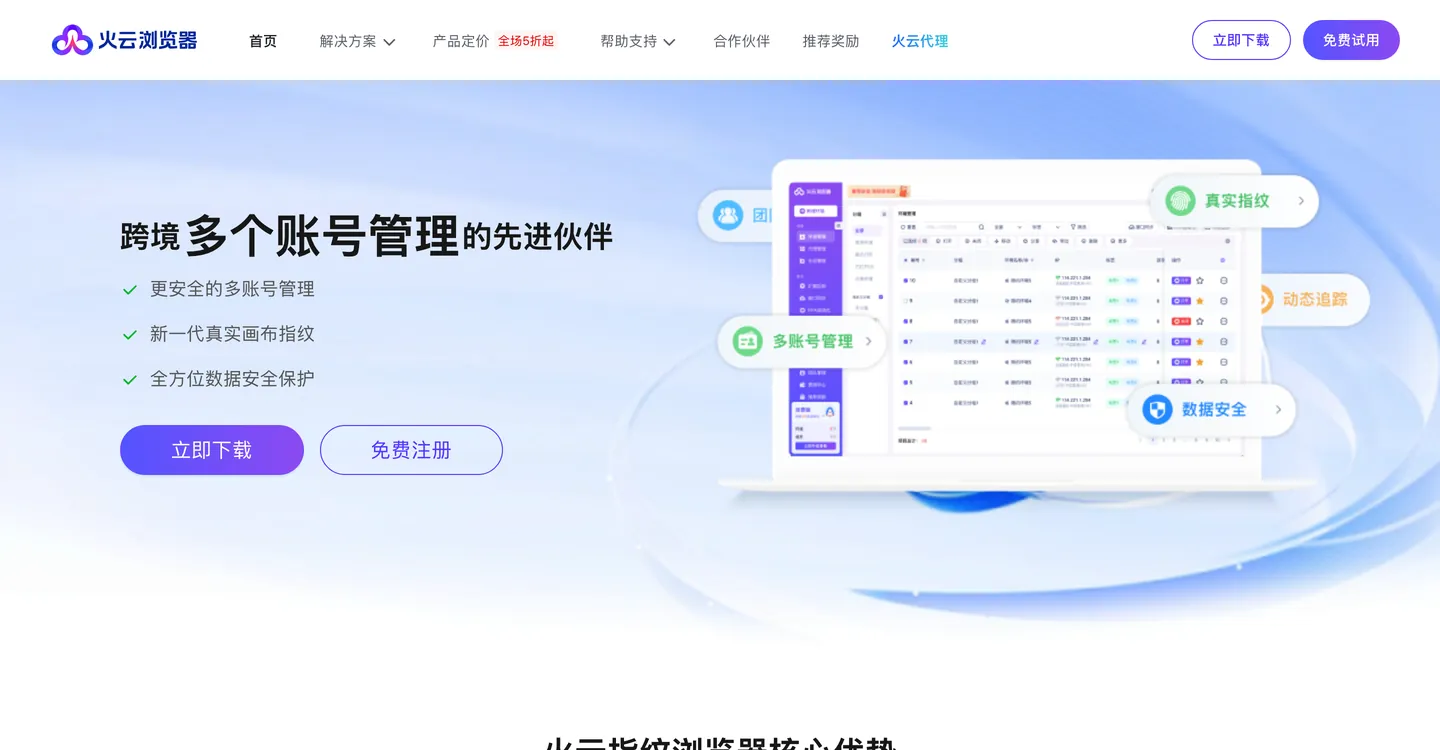
HotLogin (火云浏览器) puts each account in a separate browser environment, and every environment can have its own proxy. Its help center says the software does not provide proxies: you buy one first and enter it.
For shop, social and ad accounts, give each environment one static IP. The IP stays the same for the whole term, so the account always signs in from the same place.
After you sign up for HotLogin you can create 10 environments for free, enough to try every step below. The screenshots show the Chinese interface, so the labels are given in Chinese with an English gloss. The HotLogin screenshots below were provided by HotLogin; the check-result image comes from its help center.
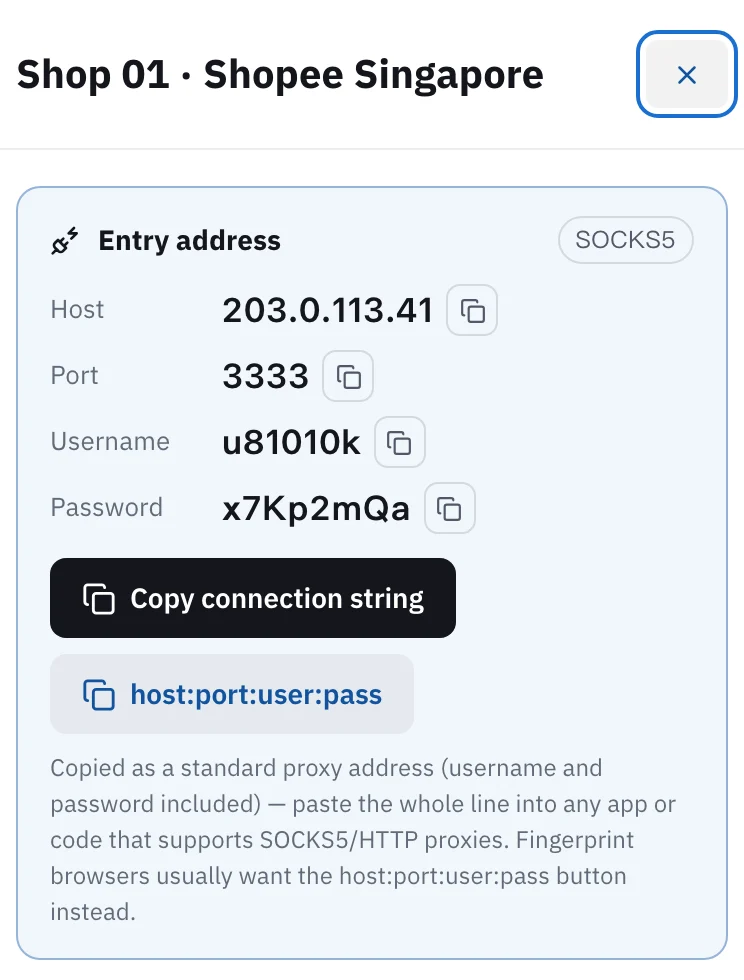
Open My assets in the console and click the IP for this environment. You will see host, port, username and password, each with a copy button. For rotating residential and per-traffic static residential, the host is proxy.proxy302.com, HTTP uses port 2222, SOCKS5 uses port 3333, and the same username and password work for both. For a static IP bought per IP, a tag next to the entry address shows HTTP or SOCKS5. It works only with the protocol chosen at purchase, and you enter the port shown on the page.
Open HotLogin, click 新建环境 (New environment) at the top left, and choose 高级创建 (Advanced) among the three tabs. Start with 基础信息 (Basic info). Name the environment after the shop or account in 环境名称 (environment name), for example "Shop 01 · Shopee Singapore", so it matches the note in Proxy302 later. Leave 分组 (group) alone and it stays in 默认分组 (Default group).
Click 代理配置 (Proxy settings) on the left. Set 代理方式 (proxy method) to 自定义 (Custom). Set 代理类型 (proxy type) to HTTP or Socks5 so that it matches the port: HTTP with 2222, Socks5 with 3333. The 主机: 端口 (host: port) row has two boxes: host on the left, port on the right. Then fill 代理账号 (account) and 代理密码 (password). Leave 刷新URL (refresh URL) empty.
Keep IP查询渠道 (IP lookup source) on the default IP2Location and click 代理检测 (Proxy check) next to it. A 连接检测成功! (Connection check passed) message appears with the IP and country/region found, which means the details are right. If the country is not the one you bought in Proxy302, do not create yet. Go back and check the four values for copy mistakes.
Click 创建 (Create) at the bottom right. Back in 环境管理 (Environment management), the new environment is in the list, and its IP column shows the proxy type and the exit IP found. Tick that row and click 打开 (Open) in the toolbar above, and the browser starts through this proxy. To test again later, tick the environment, click 更多 (More) at the right end of the toolbar and choose 检测代理 (Check proxy).
Click 代理管理 (Proxy management) on the left, open 自有代理 (My own proxies), click 添加代理 (Add proxy), and choose 单个添加 (Add one). On HotLogin 2.5.1 and above, you can paste a whole host:port:user:pass line into the host box and it splits into the four boxes by itself. In Proxy302 My assets, click the host:port:user:pass copy button and paste it in. You can click 代理检测 (Proxy check) before saving too.
Once saved, go to 代理配置 (Proxy settings) when you create an environment, change 代理方式 (proxy method) to 已添加的代理 (Added proxies), keep 代理分组 (proxy group) on the group you saved it in (默认分组, Default group, unless you changed it), and pick the one you saved in 请选择代理 (Select proxy). Give one proxy to one account's environment only. For many environments, save several proxies in 代理管理 (Proxy management) and pick one per environment.
Shops, social accounts, ads, anything you log into for a long time: buy a static ISP IP, one per environment. It does not change during the term, and a term of 30 days or more is a dedicated IP.
Scraping, price checks, looking at pages from other countries: use rotating residential, billed by traffic. In HotLogin it goes through 自定义 (Custom) too. Host proxy.proxy302.com, port 2222 for HTTP or 3333 for SOCKS5, and copy the username and password from My assets.
A new user who signs up to Proxy302 through a partner link or an invite link gets an extra 20% on the first top-up made within 120 days of binding, up to US$50. The bonus is credited to the wallet as its own entry once the top-up arrives.
Either works for rotating residential and per-traffic static residential: choose HTTP with port 2222, or Socks5 with port 3333, and keep the same username and password. A static IP bought per IP supports only the protocol chosen at purchase, so check the protocol shown for that IP in My assets. HotLogin's list also has HTTPS, which Proxy302 does not use.
Copy the values again with no extra spaces. Then make sure 代理类型 (proxy type) matches the port: HTTP with 2222, Socks5 with 3333. Finally check that the IP has not expired, or for rotating residential that you still have traffic.
In mainland China, open Proxy302 Fast Connect and click 「一键加速」 (One-click boost) first, enter host, port, username and password as given, then click 代理检测 (Proxy check). The Fast Connect guide is under Related setups.
If the account must keep one IP for a long time, yes. One static ISP IP per account is the simplest. Give the environment the same name as the note in Proxy302 so they match later.
In 环境管理 (Environment management), hover over that environment's 代理IP (proxy IP) and an edit icon appears. Click it. In the 修改代理 (Change proxy) window choose 自定义 (Custom) or 已添加的代理 (Added proxies), fill it in, and click 确定 (Confirm).
Fixed static ISP proxies: a residential-grade IP that stays the same for the whole term. For social accounts, stores and AI tools. HTTP and SOCKS5.
View options and pricingReal household IPs in 195+ countries; the Premium line adds state and major-city targeting. A new IP on every new connection, or keep sticky sessions. From US$1.50/GB, US$1.35/GB at 100 GB. HTTP and SOCKS5.
View options and pricingUse Proxy302 from mainland China: download the free Fast Connect 2.3, click 「一键加速」 (One-click boost), and fill in your proxy details exactly as given.
Set up a proxy in AdsPower, BitBrowser, GoLogin, Kameleo, Hidemium or GenLogin: one IP per profile, where each field goes, and what a failed proxy check really means.
Official documentation · Confirmed on:
Official documentation · Confirmed on:
Official documentation · Confirmed on:
Official documentation · Confirmed on:
Work at HotLogin? Let's co-market: joint guides, partner-page listings and a +20% first top-up code for your users. Telegram @Proxy302_Support · partners@reply.proxy302.com
Create an account, top up once, then pick rotating residential, static ISP or datacenter IPs and have one running in your browser within minutes.