ISP proxies (static residential)
Fixed static ISP proxies: a residential-grade IP that stays the same for the whole term. For social accounts, stores and AI tools. HTTP and SOCKS5.
View options and pricing ×

Add the Proxy302 connection string to Nullprint's proxy pool, pick it when you create a profile, and launch once the check-up says Consistent.
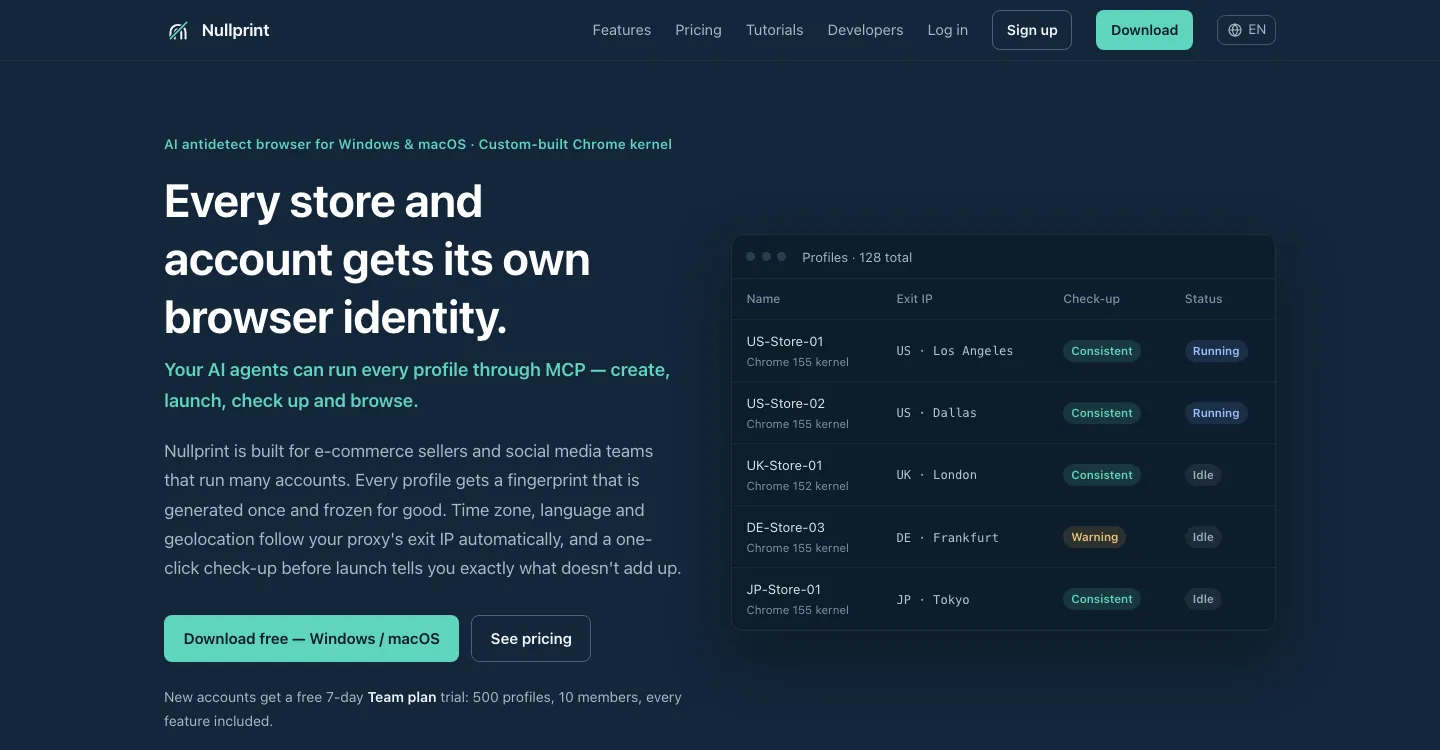
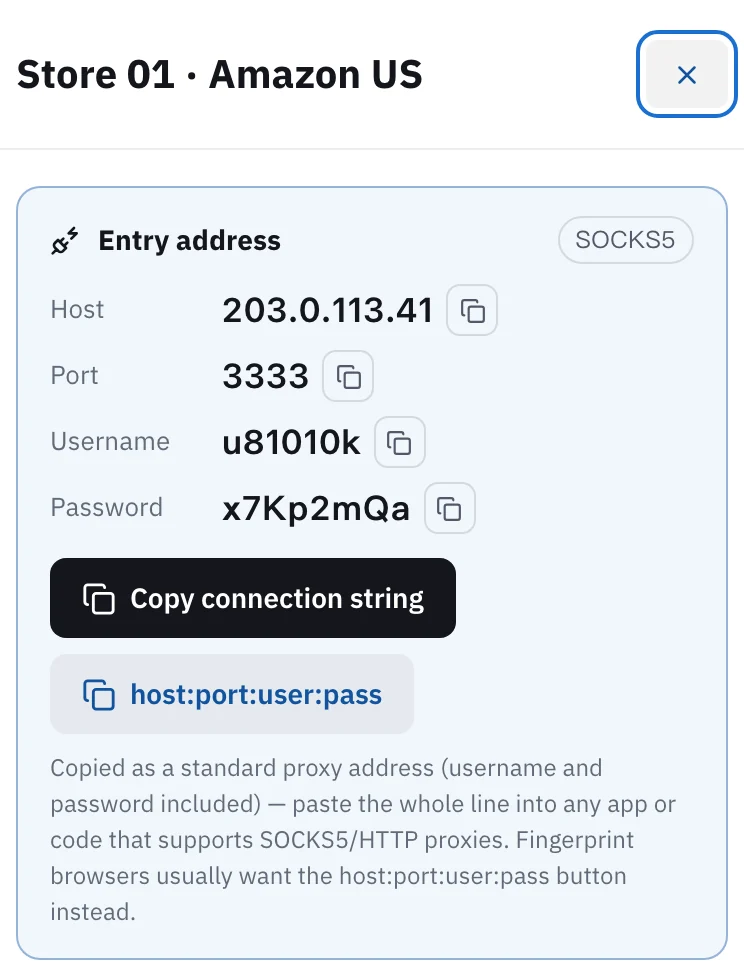
In Proxy302 My assets, open the IP you want and click "Copy connection string". The line you get carries the protocol, username and password. In Nullprint, open Proxies, click "+ Paste proxies", paste the line and click Add. Then click "Check all": a green "Working" means the proxy is good. Open Profiles, click "+ New profile", pick "From proxy pool" on the Proxy tab, choose this proxy and click "Create & lock fingerprint". Select the profile, click Check-up, and when it says "Consistent", click Launch. For rotating residential and per-traffic static residential, HTTP uses port 2222, SOCKS5 uses port 3333, and the same username and password work for both.
Updated:
Nullprint gives every store and every account its own browser profile, and each profile has its own proxy. Its site says it does not sell proxies: any HTTP or SOCKS5 proxy, including ones with a username and password, can go into its proxy pool.
The proxy decides the IP address and location that websites see. Nullprint sets each profile's time zone, language and geolocation from the proxy's exit, so add the proxy first and create the profile after.
Nullprint runs on Windows and macOS, and a new Nullprint account gets its Team plan for the first 7 days, which is enough to go through every step below. The button names follow Nullprint's own quick start tutorial.
Open My assets in the console and click the IP for this profile. For a static IP bought per IP, a tag next to the entry address shows HTTP or SOCKS5, and only the protocol chosen at purchase works. Click "Copy connection string": you get one full line with the protocol in front, for example socks5://user:pass@host:port. For rotating residential and per-traffic static residential, the card says "HTTP and SOCKS5 both work": click HTTP or SOCKS5 first, then "Copy connection string".
Open Nullprint, go to Proxies and click "+ Paste proxies". Paste the line you copied (one line per proxy if you have several) and click Add. The line already says HTTP or SOCKS5 and carries the username and password, so there is nothing to fill in separately.
Click "Check all". Nullprint looks up each proxy's exit IP and latency. If the proxy does not come up as working, see the FAQ below.
Expected result The proxy shows a green "Working".
Open Profiles and click "+ New profile". Name it after the store or account, for example US-Store-01, so it matches the note in Proxy302 later. Leave Kernel and Chrome version as they are. On the Proxy tab, pick "From proxy pool" and choose the proxy from step 2. Time zone and language follow the proxy's location automatically. Click "Create & lock fingerprint".
Select the profile and click Check-up. Once it passes, click Launch and a separate browser window opens. To be sure, open ipinfo.io in that window and check that the country is the one you bought.
Expected result "Consistent" means the IP, time zone, language and fingerprint all agree.
Stores, ad accounts, social media, anything you stay signed in to for a long time: buy a static ISP IP, one per profile. It does not change during the term, so the platform sees the same place every time.
Scraping, price checks, looking at pages from other countries: use rotating residential, billed by traffic. In Nullprint it goes in through "+ Paste proxies" too. The host is proxy.proxy302.com, port 2222 for HTTP or 3333 for SOCKS5, and you copy the username and password from My assets.
Give each proxy to one profile only. If Nullprint sees one proxy shared by several profiles, it highlights it in red.
A new user who signs up to Proxy302 through a partner link or an invite link gets an extra 20% on the first top-up made within 120 days of binding, up to US$50. The bonus is credited to the wallet as its own entry once the top-up arrives.
Use "Copy connection string" for Nullprint. The line starts with http:// or socks5:// and carries the username and password, a format Nullprint's API docs list too. The host:port:user:pass line has no protocol in it.
Copy the line again and paste it with no extra spaces. Then check that the protocol at the start of the line matches the one shown in My assets. Finally check that the IP has not expired, or for rotating residential that you still have traffic: it stops when the traffic runs out.
On a restricted network, open Proxy302 Fast Connect and click 「一键加速」 (One-click boost) first, paste the connection string as it is, then click "Check all". The Fast Connect guide is under Related setups.
If the account must keep one IP for a long time, yes. One static ISP IP per profile is the simplest. Give the profile the same name as the note in Proxy302 so they match later.
Yes. Nullprint can change a profile's proxy, one at a time or in bulk, and it resets the time zone and language from the new exit. Run a check-up again and launch once it says "Consistent".
Fixed static ISP proxies: a residential-grade IP that stays the same for the whole term. For social accounts, stores and AI tools. HTTP and SOCKS5.
View options and pricingReal household IPs in 195+ countries; the Premium line adds state and major-city targeting. A new IP on every new connection, or keep sticky sessions. From US$1.50/GB, US$1.35/GB at 100 GB. HTTP and SOCKS5.
View options and pricingWhen a direct connection to your proxy fails or keeps dropping: download the free Fast Connect 2.3, click 「一键加速」 (One-click boost), and fill in your proxy details exactly as given.
Set up a proxy in AdsPower, BitBrowser, GoLogin, Kameleo, Hidemium or GenLogin: one IP per profile, where each field goes, and what a failed proxy check really means.
Official documentation · Confirmed on:
Official documentation · Confirmed on:
Official documentation · Confirmed on:
Official documentation · Confirmed on:
Work at Nullprint? Let's co-market: joint guides, partner-page listings and a +20% first top-up code for your users. Telegram @Proxy302_Support · partners@reply.proxy302.com
Create an account, top up once, then pick rotating residential, static ISP or datacenter IPs and have one running in your browser within minutes.