ISP proxies (static residential)
Fixed static ISP proxies: a residential-grade IP that stays the same for the whole term. For social accounts, stores and AI tools. HTTP and SOCKS5.
View options and pricing ×
×
Copy one line from Proxy302, paste it into BitBrowser's Host field, and the profile is ready once Check Proxy passes.
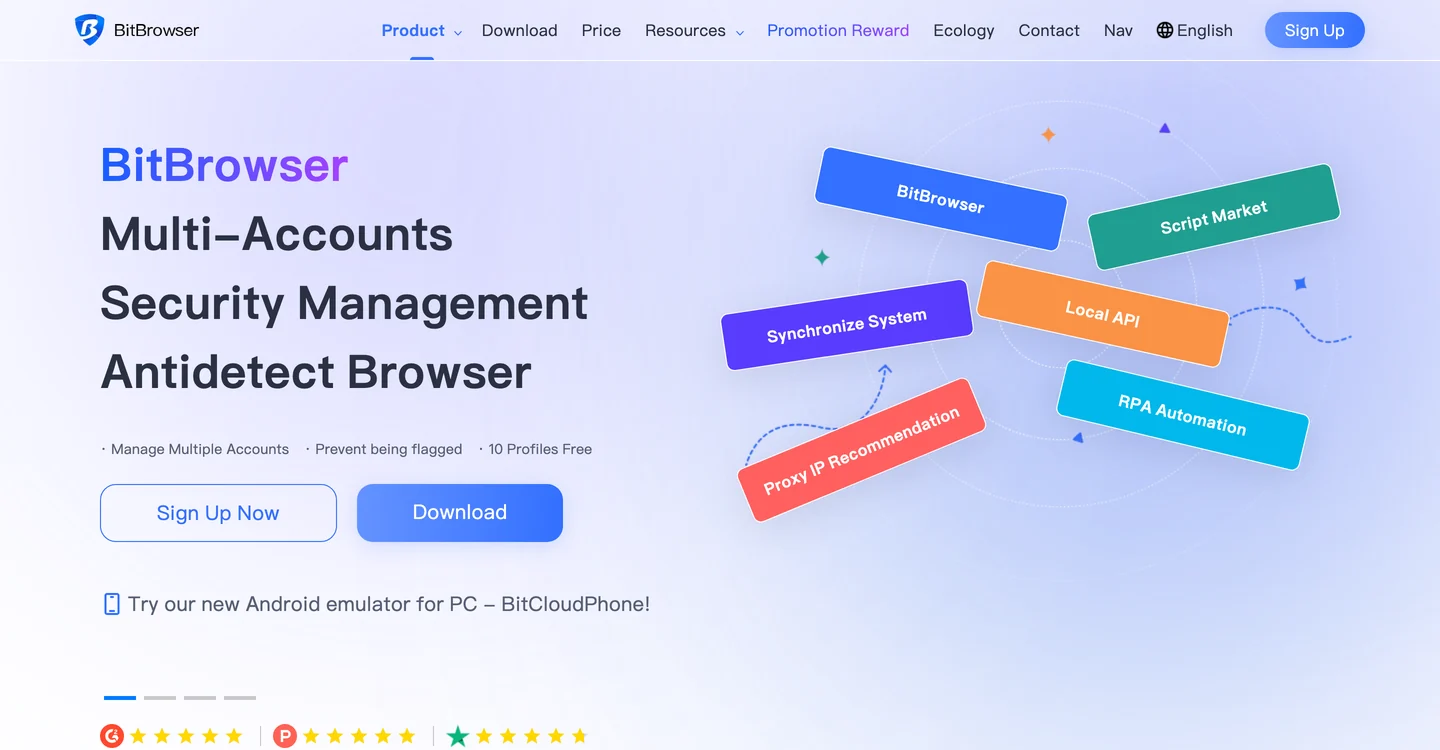
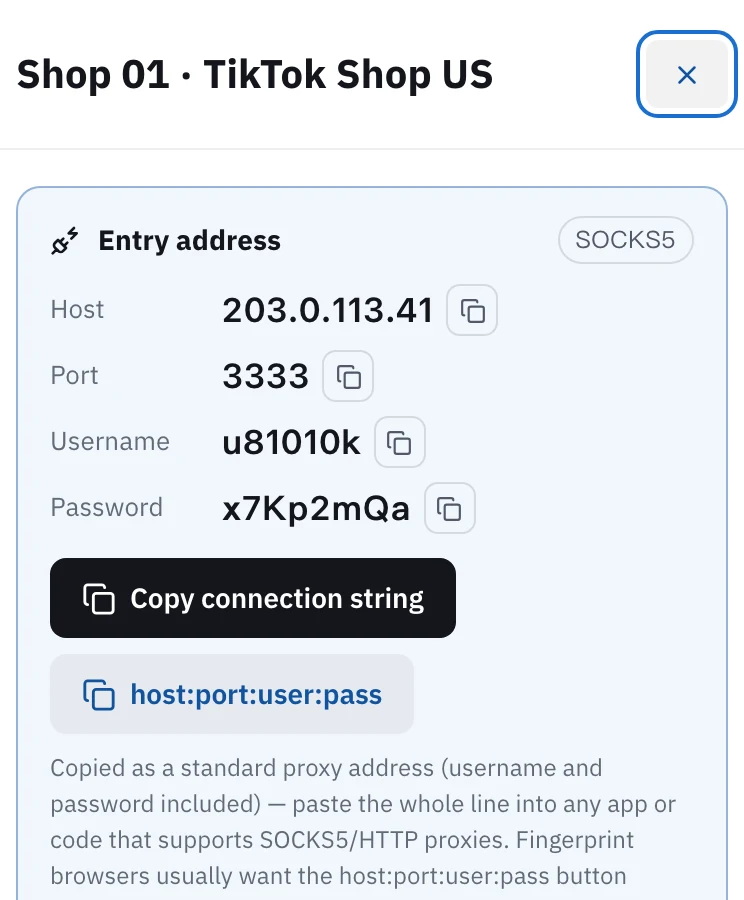
In Proxy302, open the IP in My assets and click host:port:user:pass to copy it. In BitBrowser, go to Browsers and click Add. Under Proxy, keep Proxy Method on Custom, set Proxy Type to the IP's protocol, and paste the whole line into Host so BitBrowser fills in the port, username and password. Click Check Proxy, then Confirm. If a shop lives in one profile for months, give that profile its own static ISP IP.
Updated:
Every BitBrowser profile has its own fingerprint and its own proxy setting. With Proxy Type left on Direct Connection Mode, a profile goes out through your own computer's connection, so all your profiles share one IP.
Put a Proxy302 static IP on each profile and every shop keeps signing in from the same place. Proxy302 IPs work over HTTP or SOCKS5, and one copied line is all BitBrowser needs.
BitBrowser's help center has a Proxy302 tutorial of its own. The steps below follow it, using screenshots from BitBrowser's English help pages.
Open My assets in the console and click the IP you want for this profile. Note the protocol badge at the top right of the card, SOCKS5 or HTTP. You will pick the same one in BitBrowser. Then click host:port:user:pass. That line is the format BitBrowser reads.
In BitBrowser, open Browsers in the left menu and click Add at the top. Newer versions call the menu Browser Profiles. Name the profile after the IP's label in Proxy302, such as "Shop 01 · TikTok Shop US", so the two are easy to match later.
Scroll down to Proxy in the same panel. Keep Proxy Method on Custom. Set Proxy Type to match step 1: Socks5 for a SOCKS5 IP, HTTP for an HTTP IP. Paste the whole line into Host and BitBrowser splits it into Port, Username and Password.
Click Check Proxy next to Lookup Channel. The IP, country and city appear in green below the button. If the location matches what you bought in Proxy302, click Confirm at the bottom right. If the check fails, see the FAQ below.
Back in the list, click Open on the profile's row. The first tab is BitBrowser's workbench page, which shows the current IP and location. Check it once more, then sign in to your shop.
Running shops or keeping the same accounts signed in for months: buy static ISP IPs, one per profile. The IP stays the same for the whole lease, and a lease of 30 days or more is dedicated to you.
Scraping, price checks or viewing sites from other regions: use rotating residential. You pay per GB and can pick the exit country and city. The gateway is proxy.proxy302.com, HTTP port 2222, SOCKS5 port 3333.
BitBrowser: enter the coupon 9BC6SANEIX when you buy a plan for up to 46% off. The discount shown on BitBrowser's checkout is what applies.
Proxy302: sign up through BitBrowser's partner link and your first top-up within 120 days gets an extra 20%, up to US$50. The bonus lands in your wallet once the top-up arrives.
Whatever the Proxy302 IP is. An IP marked SOCKS5 in My assets uses Socks5 on port 3333. One marked HTTP uses HTTP on port 2222. Each IP has a single protocol, so the wrong choice fails Check Proxy.
Give each profile its own static IP. When several profiles share an IP, the platform can easily link the shops and accounts on them.
Yes. Open Proxy IP in the left menu, switch to Proxy Management, and pick Batch Add Proxy from the drop-down next to Add Proxy. Put one proxy per line, up to 100 at a time. Start HTTP lines with http://, because a line without a type is added as socks5. Later, when you add a profile, choose the saved proxy instead of typing it in.
Usually not. Under Fingerprint, the Language and Time Zone switches generate both from the IP. Leave them on and the profile follows the Proxy302 IP's location.
First the type and port: Socks5 goes with 3333, HTTP with 2222. Then copy the line again from My assets, with no spaces. Last, check that the IP has not expired.
An earlier help page for this browser is still available.
If BitBrowser cannot connect through the proxy, the troubleshooting page lists what to check, in order.
Fixed static ISP proxies: a residential-grade IP that stays the same for the whole term. For social accounts, stores and AI tools. HTTP and SOCKS5.
View options and pricingReal household IPs in 195+ countries with state and city targeting. Rotate on every request or keep sticky sessions. From US$1.50/GB, US$1.35/GB at 100 GB. HTTP and SOCKS5.
View options and pricingOfficial documentation · Confirmed on:
Official documentation · Confirmed on:
Official documentation · Confirmed on:
Create an account, top up once, then pick rotating residential, static ISP or datacenter IPs and have one running in your browser within minutes.