My proxies says the extension was not detected
Check Is the extension v1.5 or later (replace v1.6 with the latest), enabled, and allowed to run on proxy302.com?
Fix Update or enable the extension, refresh My proxies and try Use extension again.
Updated
curl -x http://USER:PASS@HOST:PORT https://ipinfo.io/json
Switch your browser to a Proxy302 exit with one click.
The Proxy302 extension routes one browser through a proxy without touching the rest of your computer. It signs in to your account and picks up a proxy you send from My proxies with one click; Check IP in the popup shows the IP websites see.
Use HTTP proxies with it: Chrome cannot send a username and password to a SOCKS5 proxy, so a SOCKS5 proxy with credentials will not connect in the extension. If your asset is a per-IP SOCKS5 lease, use an antidetect browser or a phone app instead, or buy an HTTP one for the extension. Rotating residential works on both protocols with the same username and password, so enter HTTP and port 2222 in the extension.
If you would rather use a general proxy switcher than the Proxy302 extension, the FoxyProxy page shows how to add Proxy302 to FoxyProxy in Chrome, Edge or Firefox without touching the operating system proxy settings.
In the console open Tools & checks > Browser extension, or use the links below. Chrome and Edge use the .zip; 360 Browser uses the .crx.
Expected result The file is saved on your computer.
Unzip the .zip to a folder. Open chrome://extensions (Edge: edge://extensions), turn on Developer mode, click Load unpacked and pick the unzipped folder (manifest.json sits directly inside it). For 360 Browser, first remove the old Proxy302 extension, then install the .crx downloaded from proxy302.com (v1.8 has a new signature, so it does not replace the old one).
Expected result A Proxy302 icon appears in the toolbar.
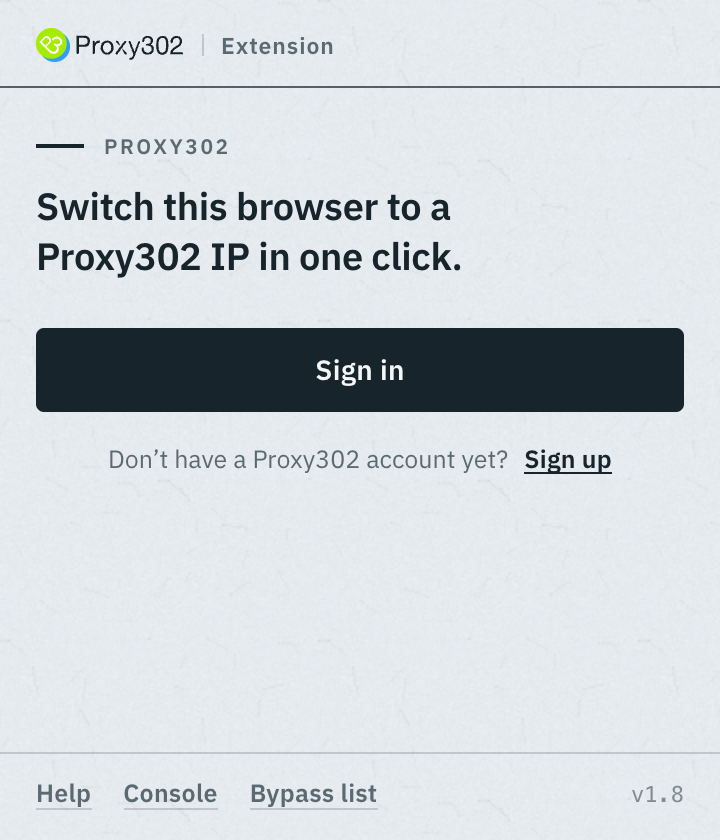
Click the Proxy302 icon, press Sign in and finish signing in on the page that opens. Return to the extension.
Expected result The popup shows your account.
In the console open My proxies and find the HTTP proxy you want to use.
On that row open More actions and choose Use extension. The extension sets itself up. This needs extension v1.5 or later (v1.6 cannot receive it, so download the latest version from Tools & checks); if it is not detected, refresh the page and check that the extension is enabled and allowed to run on proxy302.com.
Expected result A message says the proxy was sent to the extension.
Click the Proxy302 icon and press Connect. The status changes to Connected; Check IP opens a lookup page that shows the IP websites see.
Expected result The exit IP and country match what you bought.
Open ipinfo.io. The IP and country shown should be the proxy’s, not your own.
Expected result ipinfo.io shows the proxy exit.
| Item | Works with the extension? | What to do |
|---|---|---|
| Rotating residential, HTTP | Yes | Same username and password; enter HTTP in the extension (gateway proxy.proxy302.com, port 2222). |
| Static residential, HTTP | Yes | Use the address and port on the asset. |
| Datacenter, HTTP | Yes | Datacenter IPs support HTTP and SOCKS5 (since 17 October 2026); use one bought as HTTP. |
| Any SOCKS5 proxy | No | Use an antidetect browser or a phone app, or get an HTTP proxy for the extension. |
A per-IP lease keeps the one protocol it was bought with; rotating residential has both, so pick the HTTP line. Check the asset row in My proxies before you send it to the extension.
Direct connections to the proxy usually fail on a restricted network. Download and run Fast Connect first, then tick Use Fast Connect (Use Helper tools in older extension versions) in the extension. The extension fills in Fast Connect’s local address for you.
Check Is the extension v1.5 or later (replace v1.6 with the latest), enabled, and allowed to run on proxy302.com?
Fix Update or enable the extension, refresh My proxies and try Use extension again.
Check You have not finished signing in on the page the popup opened, or you are signed out of the console.
Fix Sign in to the console in the same browser, then reopen the popup.
Check The proxy may have expired, be switched off, or be an account-type asset.
Fix Check the asset status in My proxies, or use another proxy.
Check Another proxy or VPN extension may be fighting for control of the browser, or the proxy was never connected.
Fix Disable other proxy extensions, press Connect again and recheck at ipinfo.io.
Check The asset may have expired or run out of traffic, or the credentials changed after you regenerated the proxy.
Fix Send the proxy to the extension again from My proxies.
Stop when Do not keep reconnecting before you have checked the asset status.
Chrome and Edge use the .zip download, 360 Browser uses the .crx. Other Chromium browsers can usually load the unzipped folder in the same way.
No. It proxies only the browser it is installed in. For the whole computer, change the system proxy or use Fast Connect.
Quick access in the left menu of the console binds frequently used websites to a proxy so the extension can open them in one click. It needs a current extension version.
Chrome cannot send a username and password to a SOCKS5 proxy, and Proxy302 connections use a username and password, so use HTTP in the extension. If you pick a SOCKS5 proxy with a username and password, the extension stays disconnected and asks for an HTTP proxy. Use an antidetect browser or a phone app for SOCKS5.
More ways to connect.
When a direct connection to your proxy fails or keeps dropping: download the free Fast Connect 2.3, click 「一键加速」 (One-click boost), and fill in your proxy details exactly as given.
Two modes with one set of credentials: change the system proxy (or hand a ready instruction to your AI) with no extra software, or use connection tools — the official extension, Fast Connect, SwitchyOmega, Proxifier and antidetect browsers.
Step-by-step guide to using Proxy302 proxies in AdsPower: where to paste host, port, username and password, which proxy to buy, partner offers and FAQ.
Add a Proxy302 SOCKS5 proxy to v2rayNG on Android, test the connection and check your exit IP. HTTP-only datacenter IPs: use Postern, or get a SOCKS5 one.
Setup guides Proxy302 publishes on GitHub on the same topic:
Product observation · Confirmed on:
Button names and steps were checked against the Proxy302 console (Connect, My proxies) and its onboarding flow on 18 October 2026; the popup’s button names and contents were rechecked against extension v1.8 screenshots and source on 9 November 2026.
Official documentation · Confirmed on:
Create an account, top up once, then pick rotating residential, static ISP or datacenter IPs and have one running in your browser within minutes.