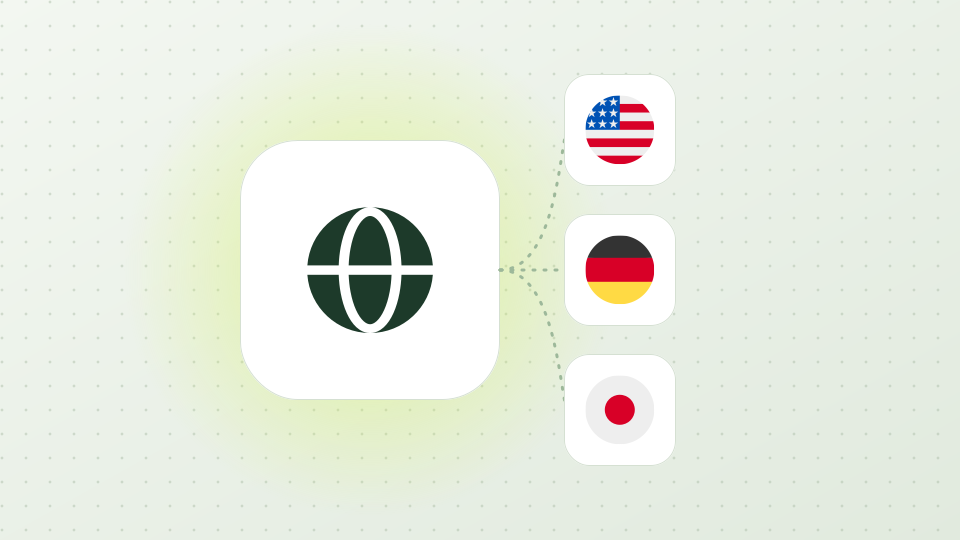
Ad systems choose what to serve from where the viewer appears to be. Google says location is typically based on the IP address; TikTok targets down to cities and ZIP codes on a variety of signals; Microsoft serves only when location and language targeting both match. A check from your office shows your office's ads.
Known datacenter IPs are treated as a class of their own: Google's Display & Video 360 counts data-center traffic — ad traffic from server IPs linked to invalid activity, usually on lists kept by industry bodies — as general invalid traffic and filters it. A check run from a cloud server may not see what a person at home sees.
Platforms publish part of the picture. Google's Ads Transparency Center searches an advertiser's ads by serving region and date, Meta's Ad Library lists active ads across its apps, LinkedIn's Ad Library filters by country and TikTok's Top Ads by region. None of them shows the live placement on a site, or how the page after the click looks in that market — that's what a local residential IP is for.
Scroll horizontally with the arrow keys to read all content.
Recommended ad verification setup
Criterion
Choose
Why
Product
Rotating residential proxy, billed by traffic
Home-broadband IPs, the kind of visitor ads are bought for
Line
Budget (preselected) or Premium
Budget costs less per GB; Premium adds the optional ISP picker
How many proxies
One per market or city you check
Every proxy draws on the same traffic of its line
Country and city
Each market the campaign buys, down to the city
Match the campaign's location targeting
Protocol
HTTP (preselected)
Works in browsers, proxy extensions and scripts; SOCKS5 is one click away
IP changes
Exit mode: Choose region / sticky IP
One exit holds while a page and its redirects load; generate again for a fresh IP
The button below opens Rotating Residential Proxies with Use case: Ad verification — Budget line, HTTP, United States suggested. Every setting can be changed before you pay.
Scroll horizontally with the arrow keys to read all content.
Which Proxy302 proxy to buy
Criterion
Rotating residential
Static ISP
Datacenter
What you get
Home IPs in the country, state or city you pick, sticky per session
One dedicated home-broadband IP for your whole term
Fast fixed server IPs
Price
Budget from US$1.50/GB, Premium from US$5.00/GB; US$1.35 and US$4.50/GB at 100 GB
Per IP, monthly — live price at checkout
Per IP — the lowest cost per IP
Best for ad verification
Placements, creatives and landing pages from every market you buy
One long-running profile that must stay in one country
Uptime checks of your own pages; known datacenter IPs are filtered as invalid ad traffic
Prices in US dollars; 1 PTC = US$1. Top up your wallet, buy GB for the line you use, then generate proxies — buying traffic and generating are separate steps.
Click Configure ad verification proxies below. The console opens Rotating Residential Proxies with Use case: Ad verification — Budget line, HTTP, United States suggested.
Buy traffic for the line
Under Line keep Budget, or switch to Premium if you want to pick the ISP. Open Add traffic, pick a package or enter Custom GB, and click Buy selected package. Purchases start at 1 GB.
Pick the market and generate
In Connection settings leave Exit mode on Choose region / sticky IP. Choose Region, then State and City if the campaign targets a city. Click Review cost and generate: Proxy302 checks that the new proxy really exits in that country before handing it over. Repeat for each market.
Start from the transparency tools
Look the advertiser up in Google's Ads Transparency Center, the Meta Ad Library, LinkedIn's Ad Library or TikTok's Top Ads with the market selected, and list the ads and landing pages you expect to find there.
Capture the live placement
Load the placement in a browser profile that uses that market's proxy — or run the script below — and save a full-page screenshot with the time and exit IP. Open click-through URLs directly instead of clicking the ads, and load each page once per market.
Capture each market's view with Playwright (Python)
Scroll horizontally with the arrow keys to read all content.
from datetime import datetime, timezone
from playwright.sync_api import sync_playwright

PAGE = "https://example.com/page-with-your-ad"
# One proxy per market, copied from My assets in the Proxy302 console
MARKETS = {
    "us-chicago": {"server": "http://HOST:PORT", "username": "USERNAME", "password": "PASSWORD"},
    "de-berlin": {"server": "http://HOST:PORT", "username": "USERNAME", "password": "PASSWORD"},
}

with sync_playwright() as p:
    for name, proxy in MARKETS.items():
        browser = p.chromium.launch(proxy=proxy)  # a fresh browser per market: no shared cookies
        page = browser.new_page(viewport={"width": 1366, "height": 900})
        page.goto("https://api.ipify.org")
        exit_ip = page.inner_text("body").strip()
        page.goto(PAGE, wait_until="load")
        page.wait_for_timeout(5000)  # give ad slots time to fill
        stamp = datetime.now(timezone.utc).strftime("%Y%m%dT%H%M%SZ")
        page.screenshot(path=f"{name}-{stamp}.png", full_page=True)
        print(name, exit_ip, page.url)
        browser.close()
Playwright for Python. Each market gets its own proxy from My assets and its own browser; the script records the exit IP, the final URL and a timestamped full-page screenshot. Load once per market — every reload can serve the ad again.
Quick fixes
Every market shows the same ads
Check Do the screenshots show different exit IPs? Does the site serve ads by IP or by a signed-in profile?
Fix Use a separate browser or profile per market — the script launches a fresh browser each time — and stay signed out.
The slot is empty or shows a house ad
Check Is the campaign live for this market, device and time? Did you reload the page many times on one exit?
Fix Confirm delivery in the ad platform, generate a fresh proxy and load once; an empty slot on one view doesn't prove the campaign is off.
The site blocks the page or shows a challenge
Check Have you loaded many pages in a short time on one exit?
Fix Space the loads out and generate a fresh proxy for the next batch.
Generation stops: “The exit region does not match the selected region”
Check Is supply short for that country on this line right now?
Fix Try again, or switch Line between Premium and Budget and generate again; each line uses its own traffic. The proxy is only delivered once the exit country matches.
Ad verification proxy FAQ
What is an ad verification proxy?
A proxy that lets you load ads and their pages from IPs in the countries and cities a campaign targets, so you see the placement, creative and landing page a local viewer gets.
Why not use datacenter proxies for ad verification?
Ad systems that follow the industry's invalid-traffic guidelines treat known data-center IPs as likely non-human — Google's Display & Video 360, for one, classes such traffic as general invalid traffic and filters it. Residential IPs come from home connections, like the audience you pay for.
See Google search ads, competitors and landing pages from the city you target. Rotating residential IPs with country, state and city choice, HTTP and SOCKS5.
Open the Meta Ad Library and your landing pages from the countries you target. Rotating residential IPs with country, state and city choice, HTTP and SOCKS5.
Playwright proxy setup with username and password: static datacenter IPs for tests and CI, rotating residential from US$1.50/GB when a site blocks servers.
Test your website from different countries: language, currency, prices, forms and redirects as local visitors see them. Residential IPs with country, state and city choice, HTTP and SOCKS5.
Reviewed the residential configuration page (line, exit mode, region, state, city, ISP, protocol, traffic purchase and the exit-country check) and the package prices published on /pricing. No purchase was made.
Countries, cities, ISPs and prices depend on the line and current supply; the checkout shows the live quote.
Ready to connect?
Create an account, top up once and pick rotating residential, static ISP or datacenter. Rotating residential exits cover 195+ countries and regions.