VMlogin
Legacy guide: screenshots and helper-tool steps may differ from the current product.
This is an English translation of a legacy guide. For the original wording, read the Chinese original.
VMlogin Official Website: https://vmlogin.us/?ref=proxy302
VMlogin setting up a Proxy302 proxy requires an active internet connection to overseas servers. If you do not have access to an overseas network, please refer to the Non-Overseas Connection Tutorial; if you are already connected, please refer to the Overseas Connection Tutorial.
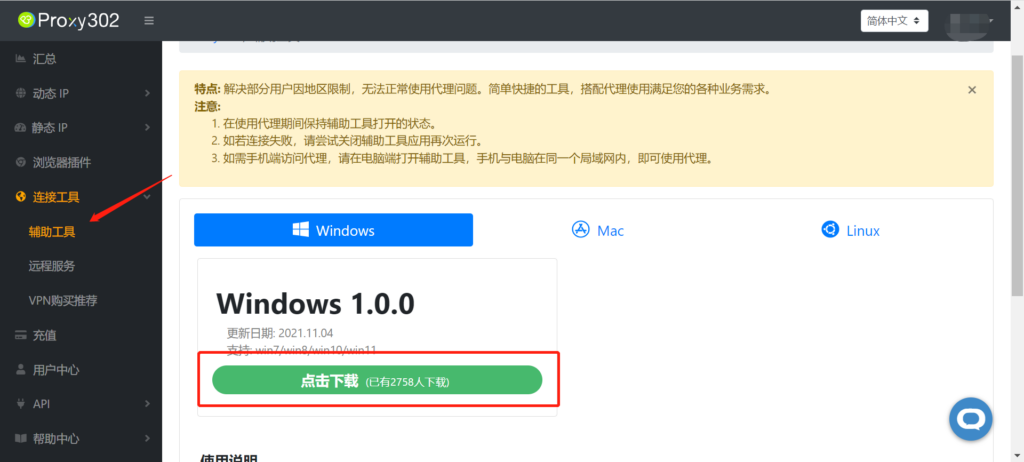
Non-Overseas Connection Tutorial1. Log in to Proxy302, find [Auxiliary Tools], and download it.
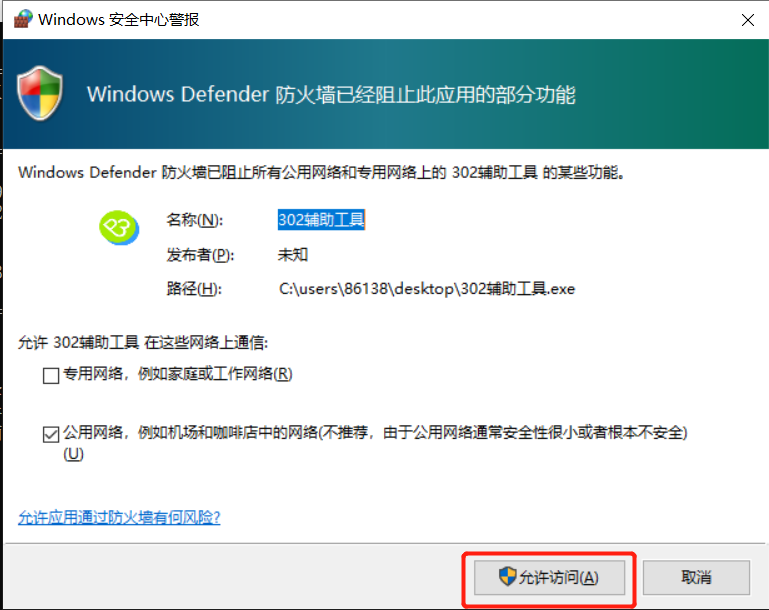
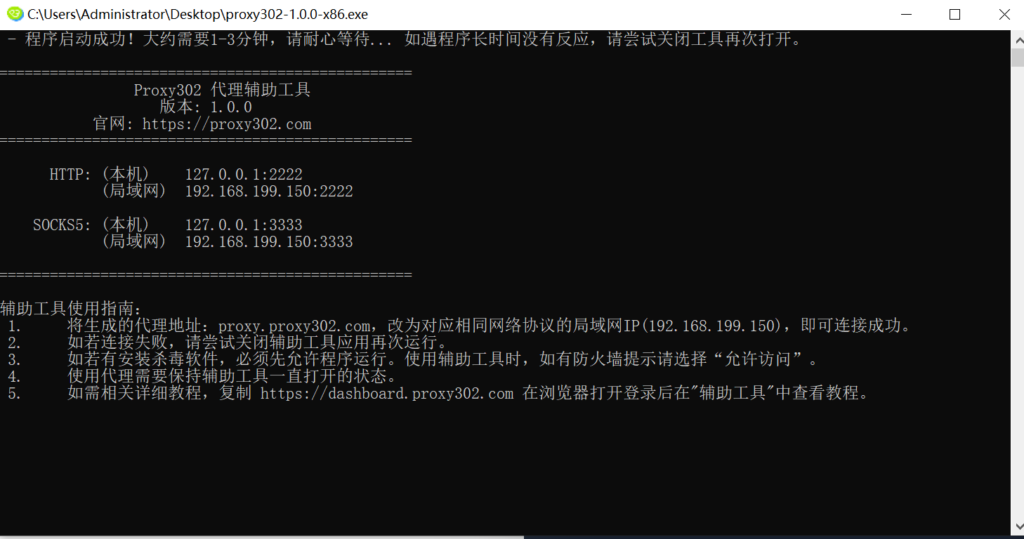
2. Open the auxiliary tool (if there is a firewall, please allow access).
3. Open Proxy302 to generate a proxy.
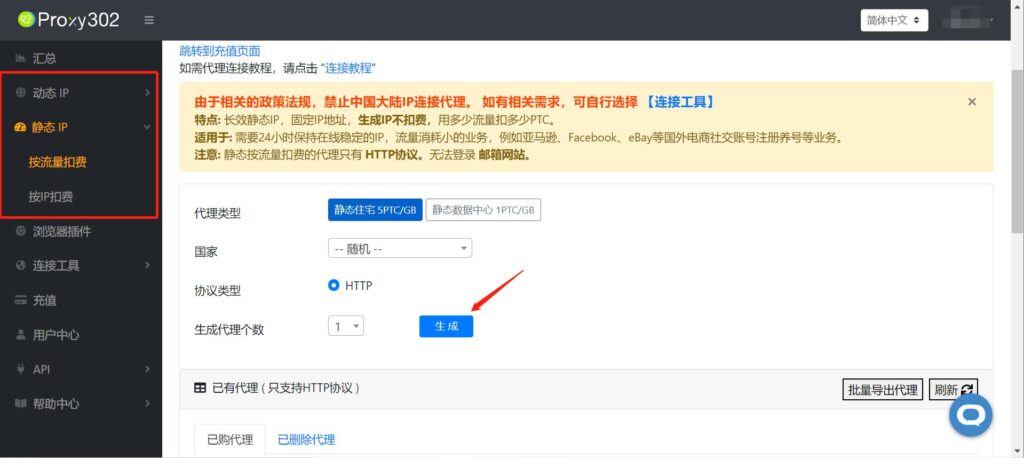
4. Open VMlogin and click [New Browser Profile].
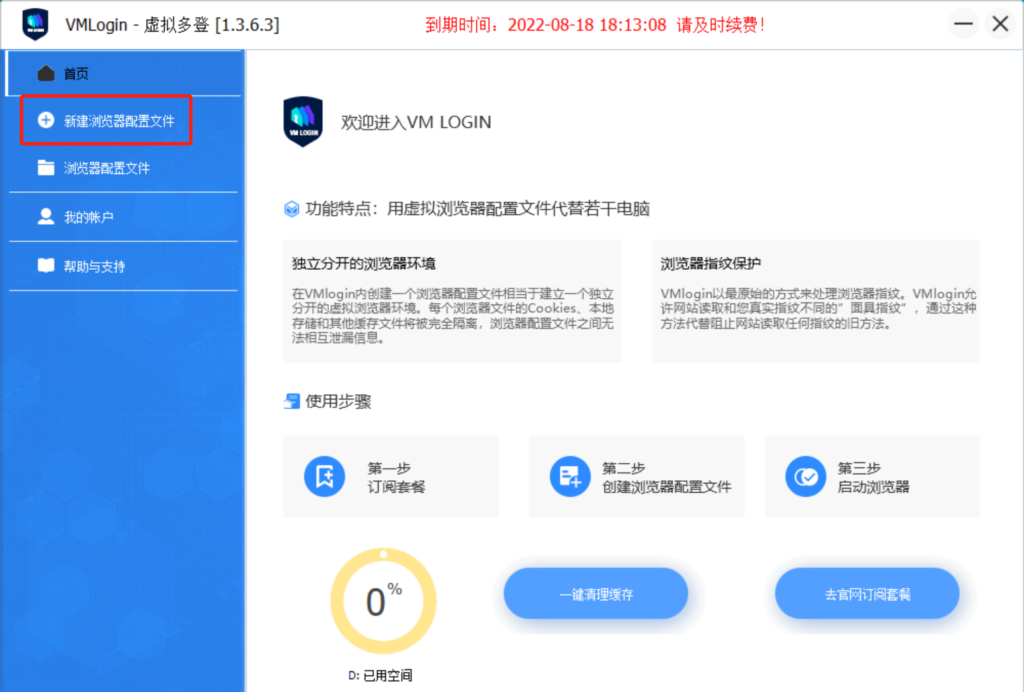
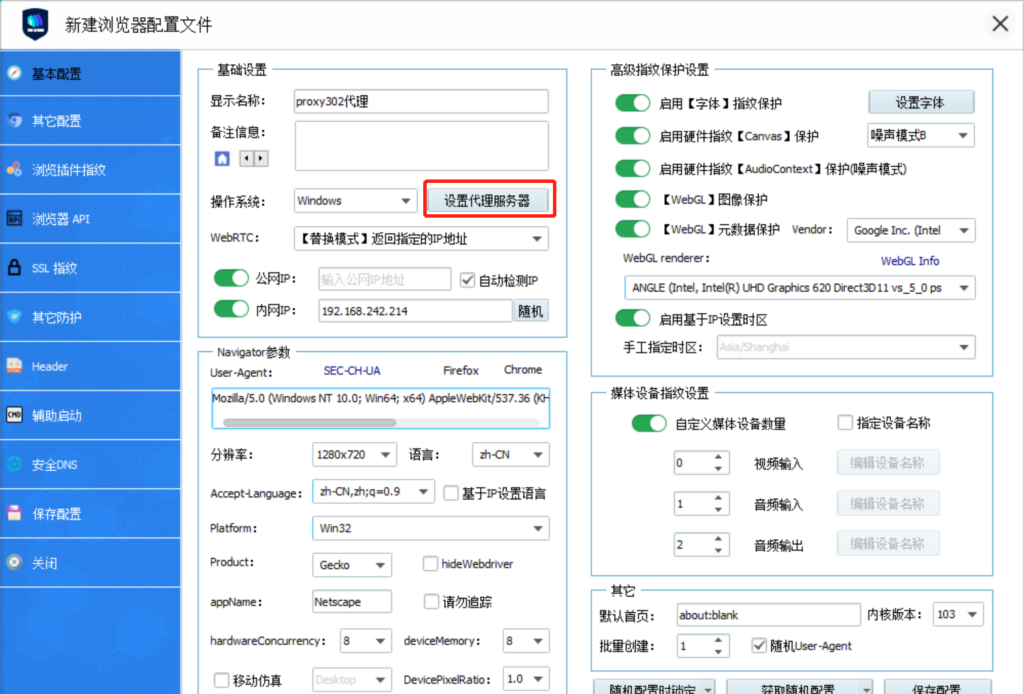
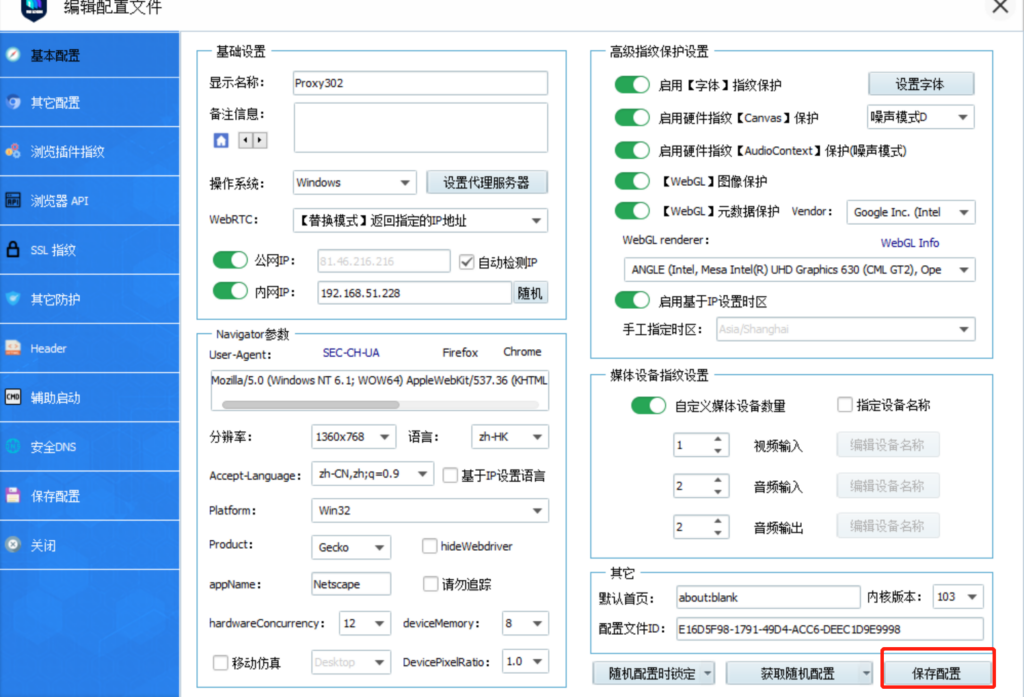
5. You can enter any name in [Display Name], and keep other settings as default (VMlogin has already configured the optimal settings by default). Click [Set Proxy Server].
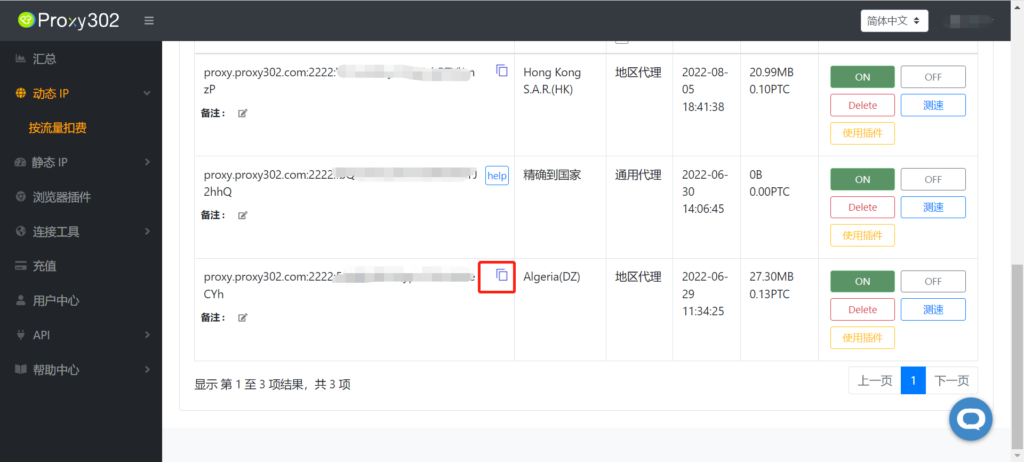
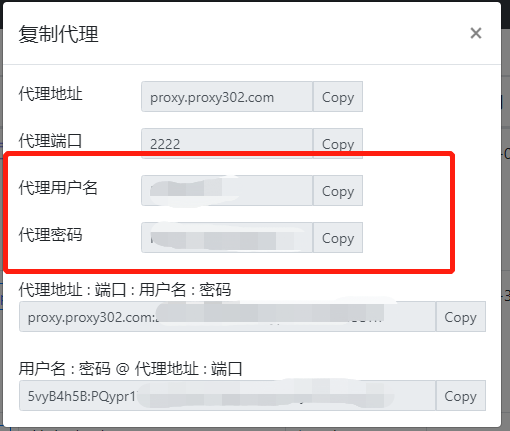
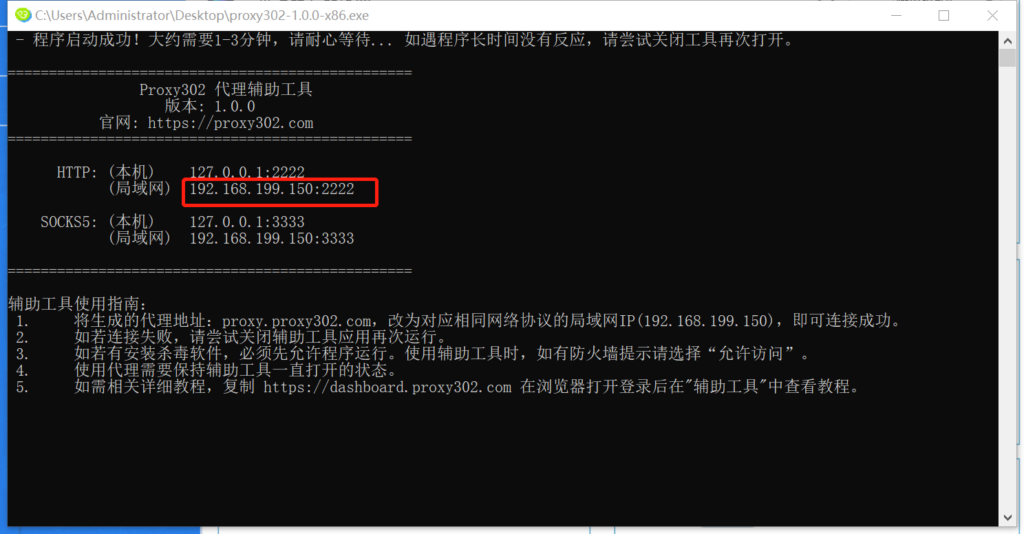
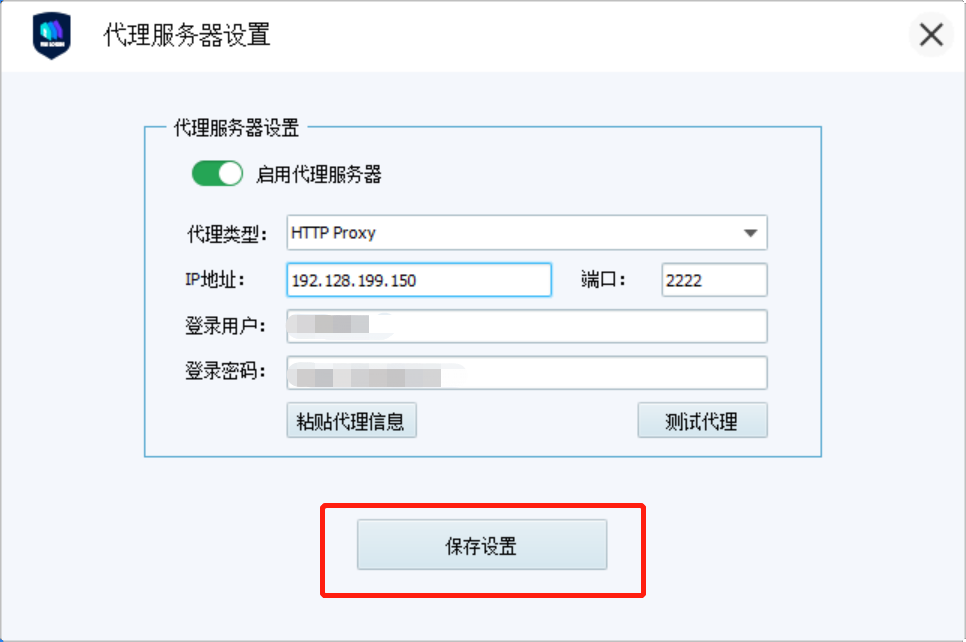
6. Return to Proxy302 and copy the generated proxy information into VMlogin. Note that when using the [Auxiliary Tool], you must change the Network Address to the LAN Address found in the auxiliary tool, then click [Test Proxy].
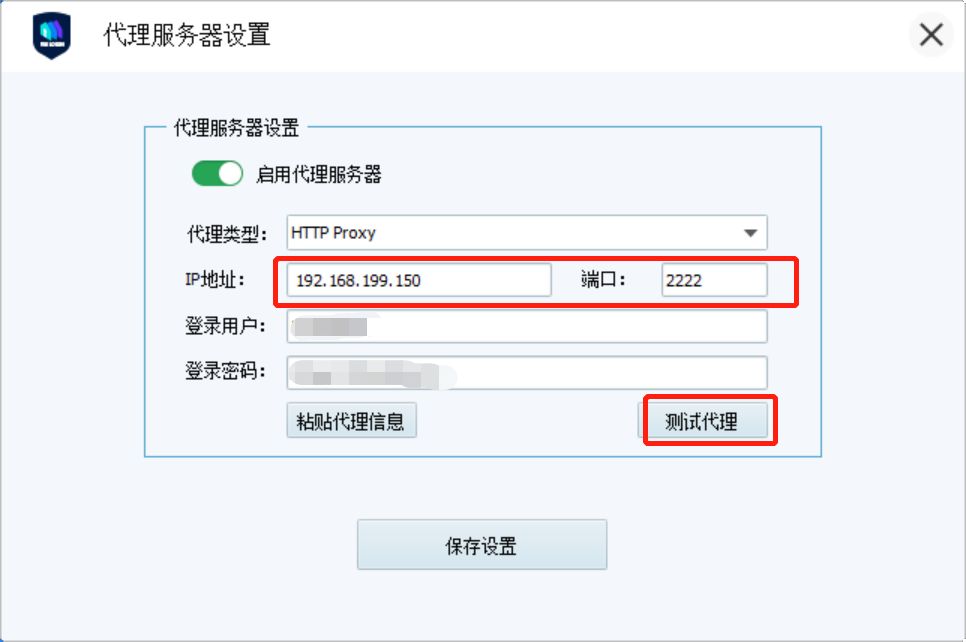
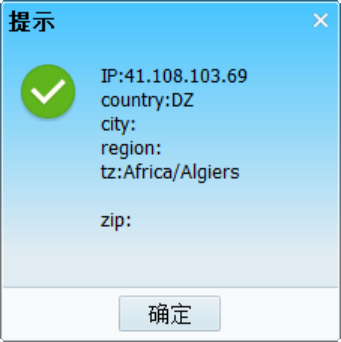
7. Once the proxy test is successful, save the settings.
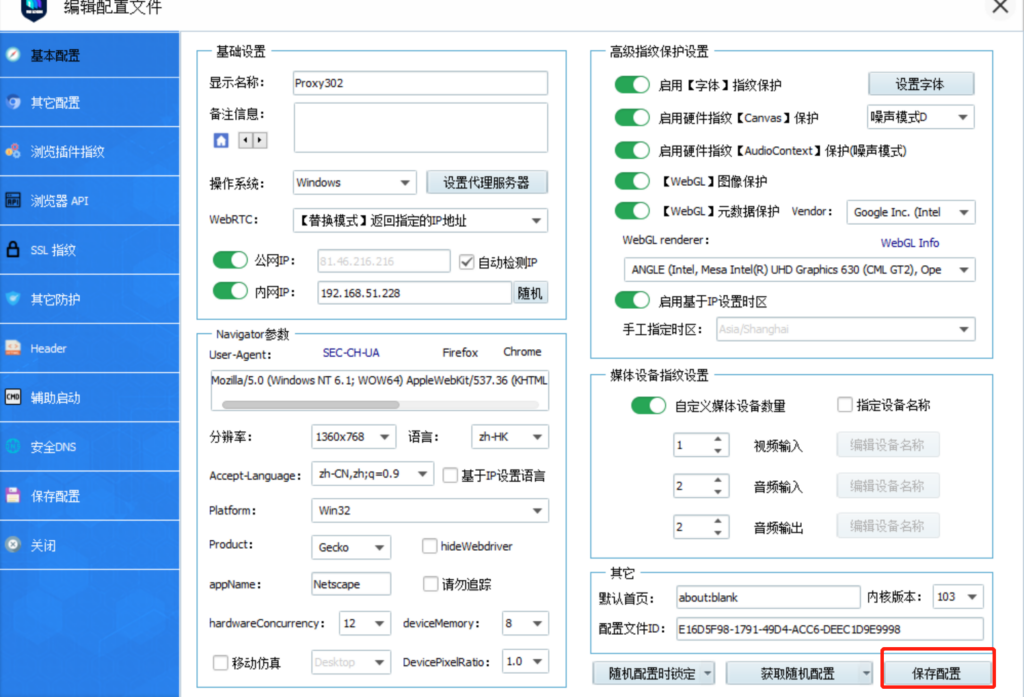
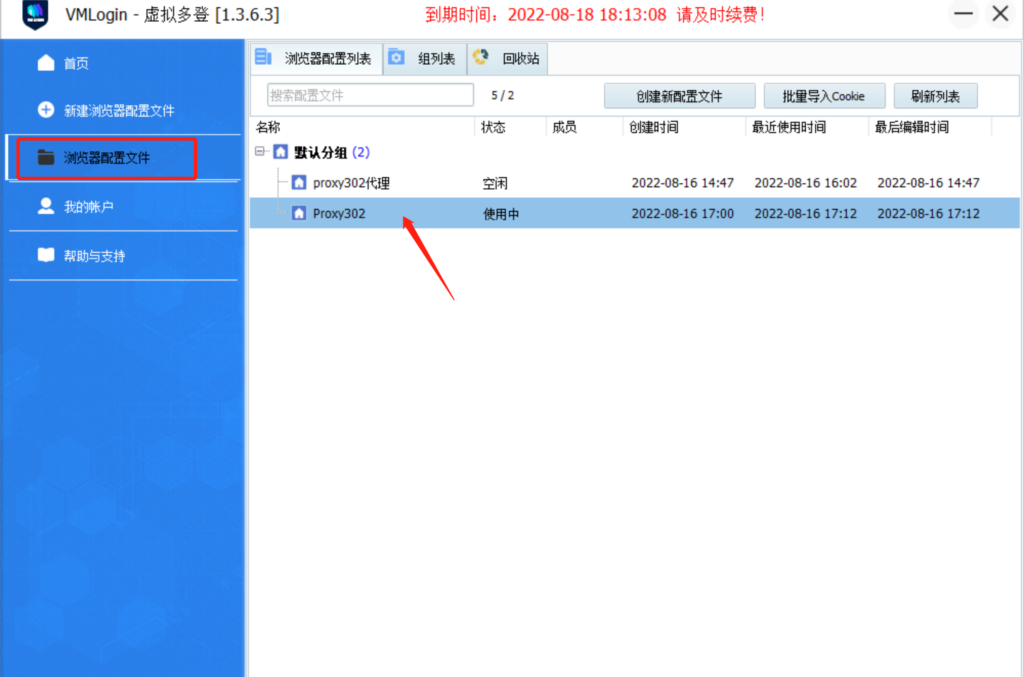
8. Click [Browser Profile] and double-click the configured proxy to launch the browser.
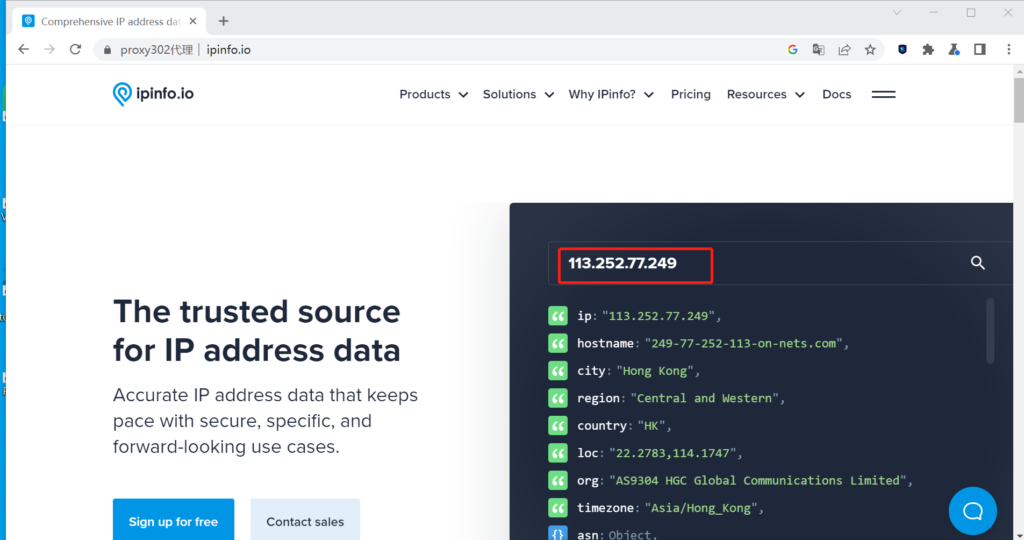
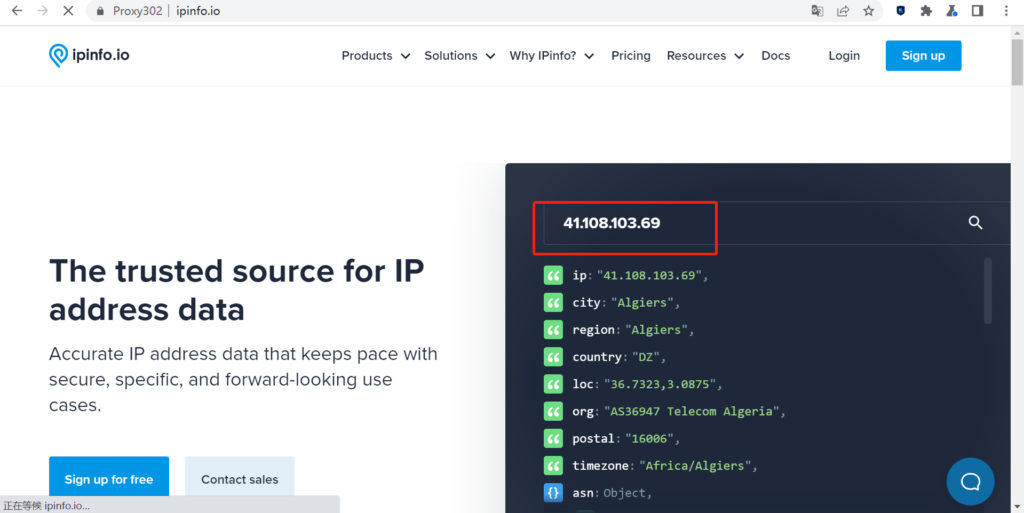
9. Enter "ipinfo.io" in the launched browser. If the displayed IP is the same as the IP generated by Proxy302, the proxy setup is successful.
Overseas Connection Tutorial
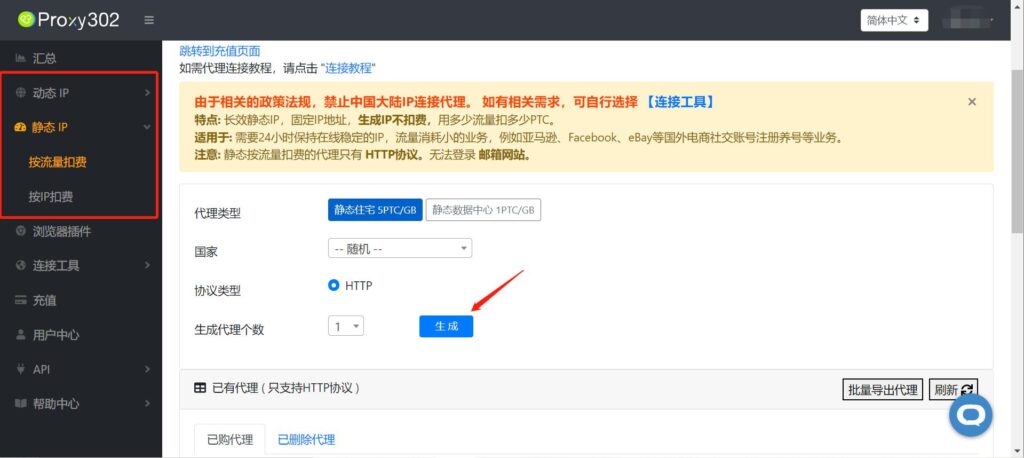
1. Open Proxy302 to generate a proxy.
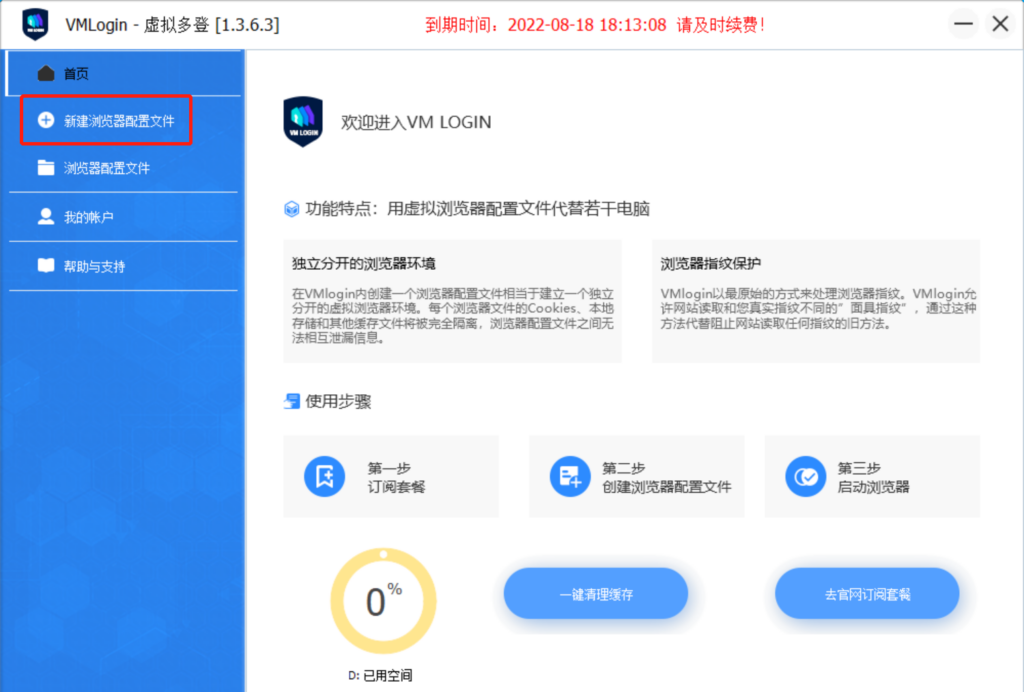
2. Open VMlogin and click [New Browser Profile].
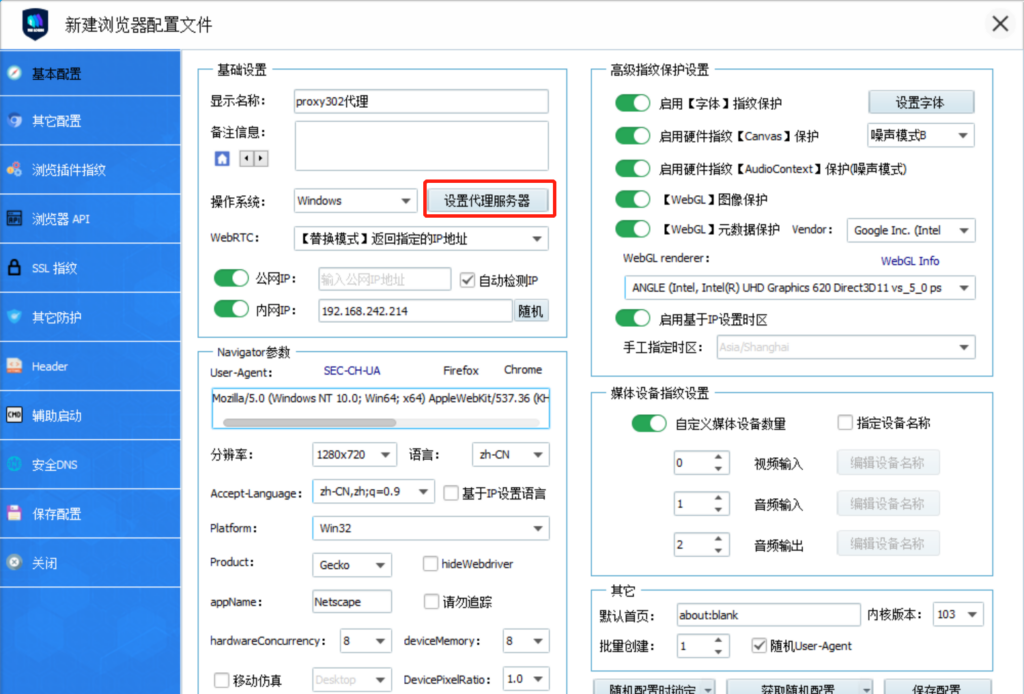
3. You can enter any name in [Display Name], and keep other settings as default (VMlogin has already configured the optimal settings by default). Click [Set Proxy Server].
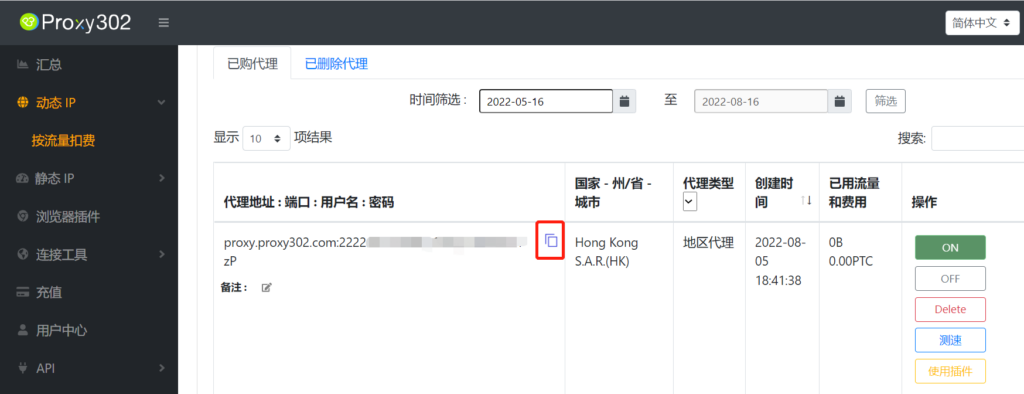
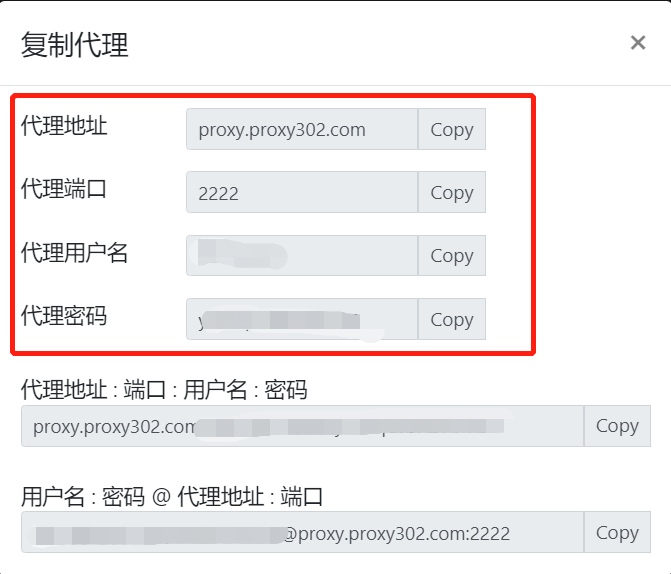
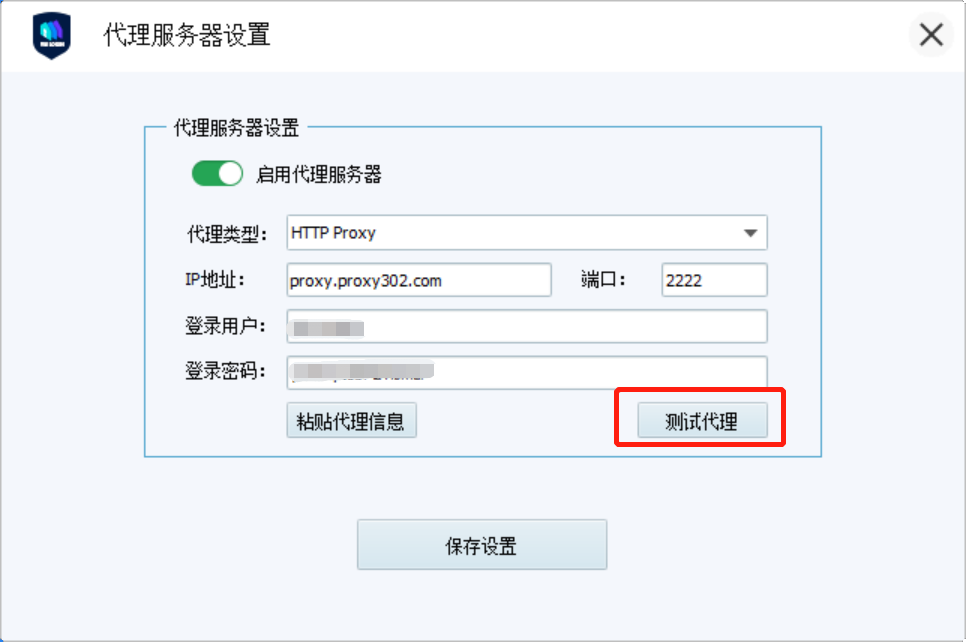
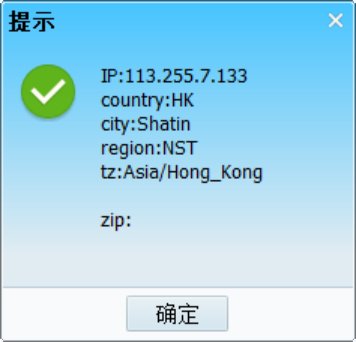
4. Return to Proxy302 and copy the generated proxy information into VMlogin, then click [Test Proxy].
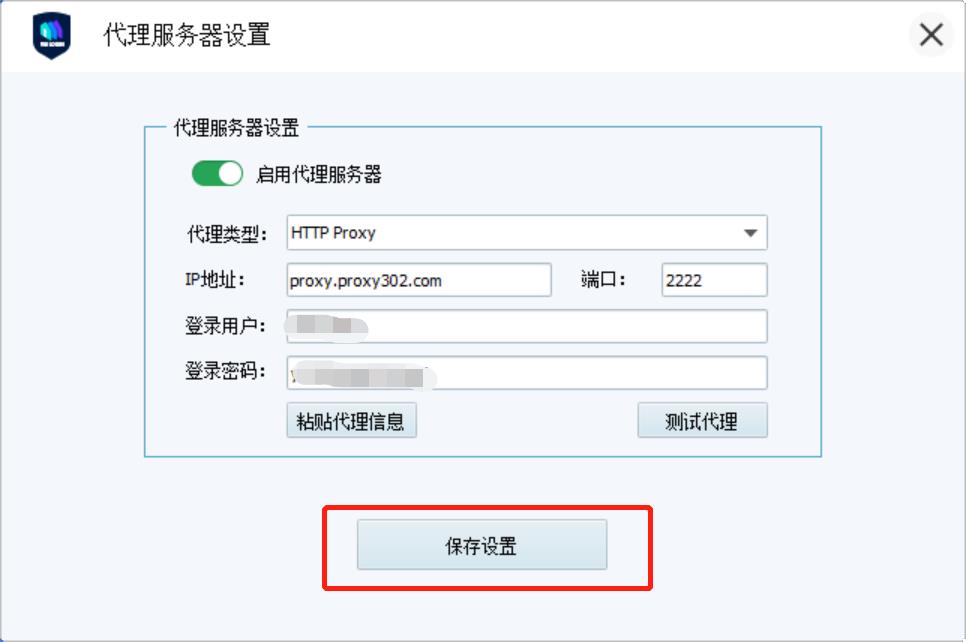
5. Once the proxy test is successful, save the settings.
6. Enter "ipinfo.io" in the launched browser. If the displayed IP is the same as the IP generated by Proxy302, the proxy setup is successful.