Proxifier
Legacy guide: screenshots and helper-tool steps may differ from the current product.
This is an English translation of a legacy guide. For the original wording, read the Chinese original.
Setting up a Proxy302 proxy in Proxifier requires an active internet connection (currently only SOCKS5 proxies are supported). If you do not have an active internet connection, please refer to the Connection Tutorial for Non-Overseas Environments; if you are already connected, please refer to the Connection Tutorial for Overseas Environments.
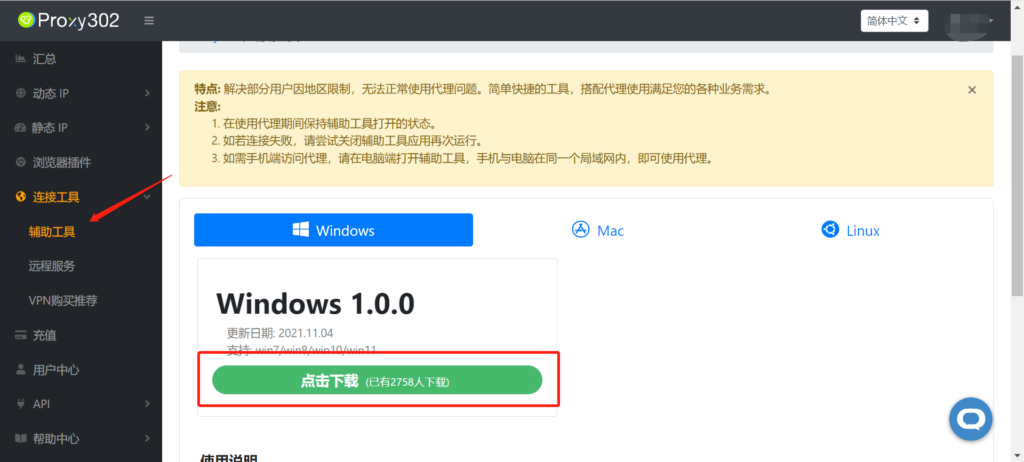
Connection Tutorial for Non-Overseas Environments1. Log in to Proxy302, find the [Auxiliary Tools] section, and download it.
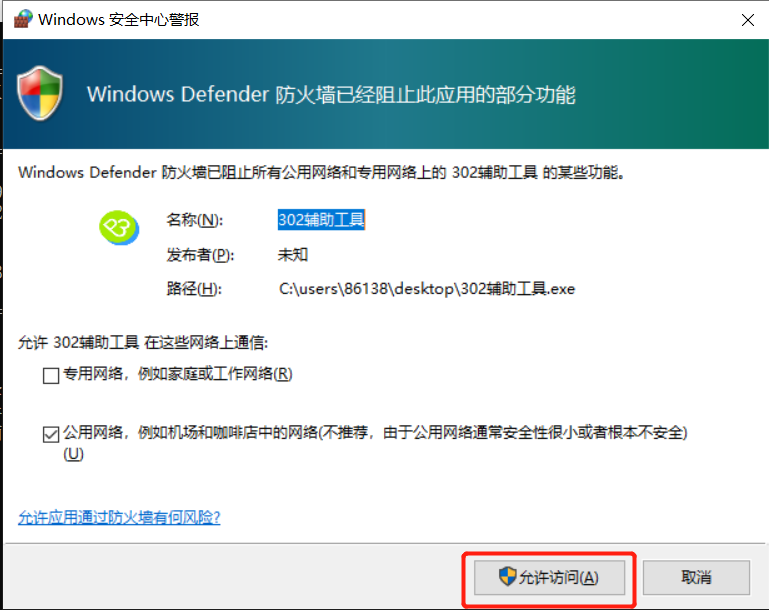
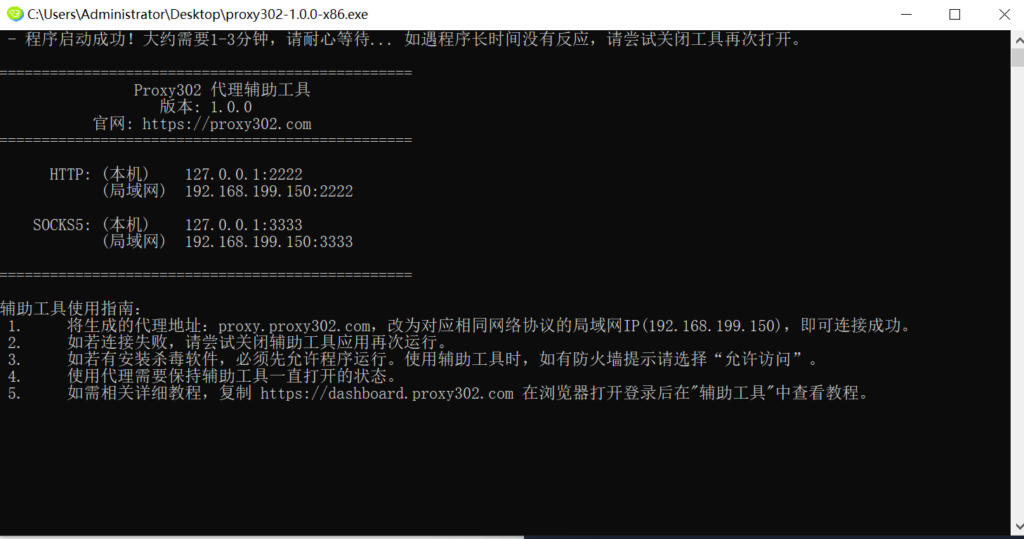
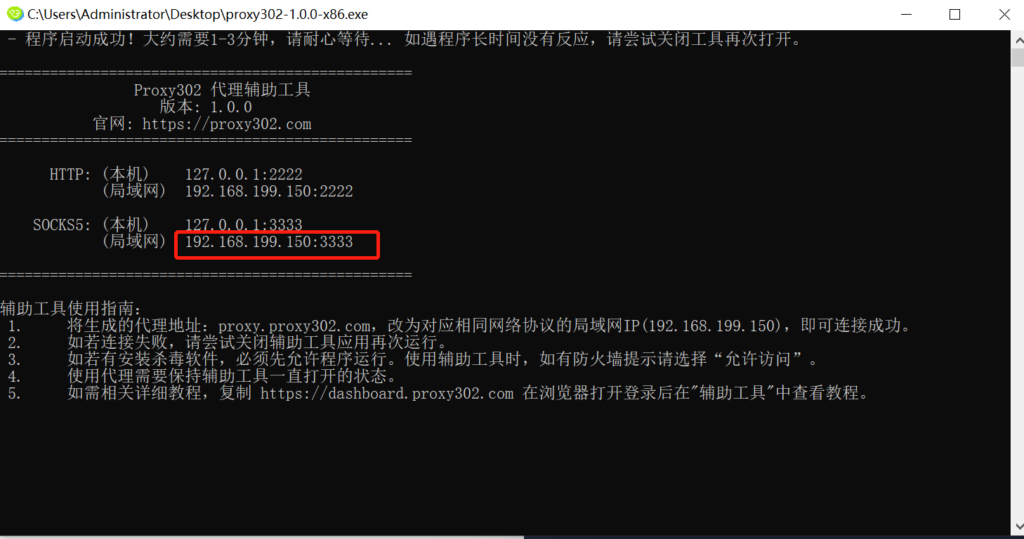
2. Open the auxiliary tool (if prompted by a firewall, please allow access).
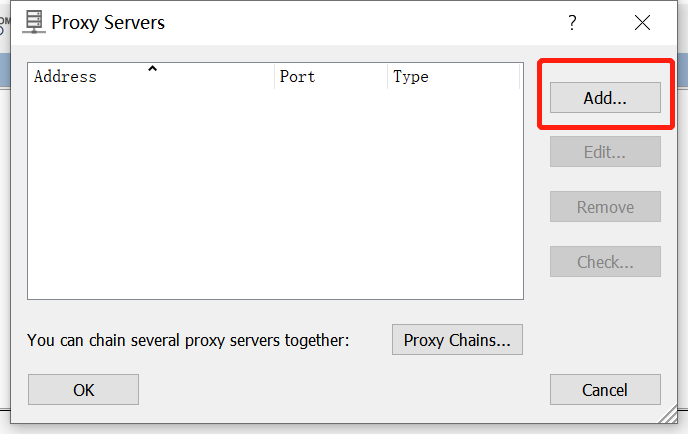
3. Open Proxifier and click Proxy Servers;
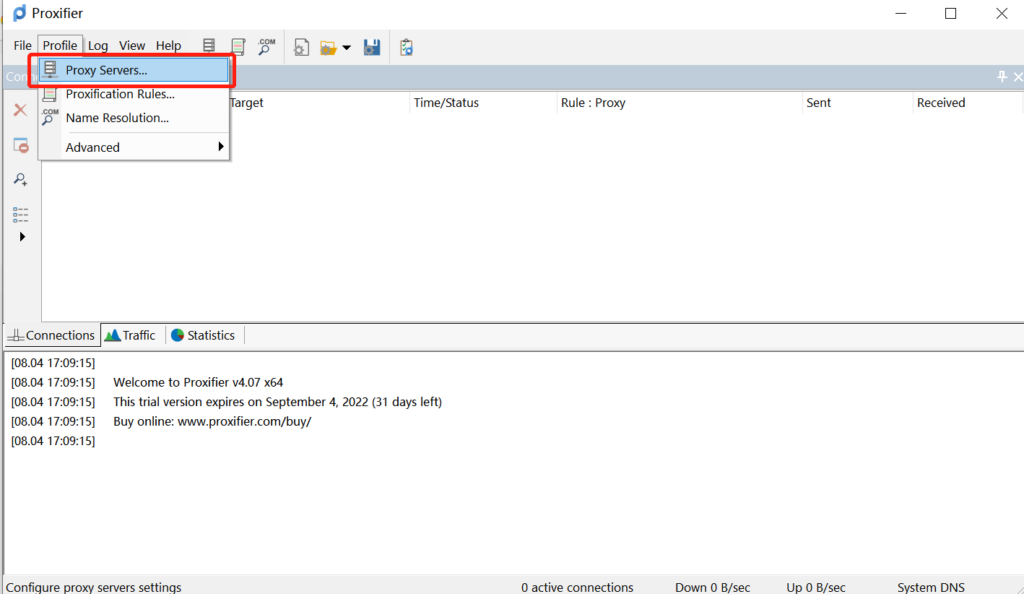
Click add to add a proxy.
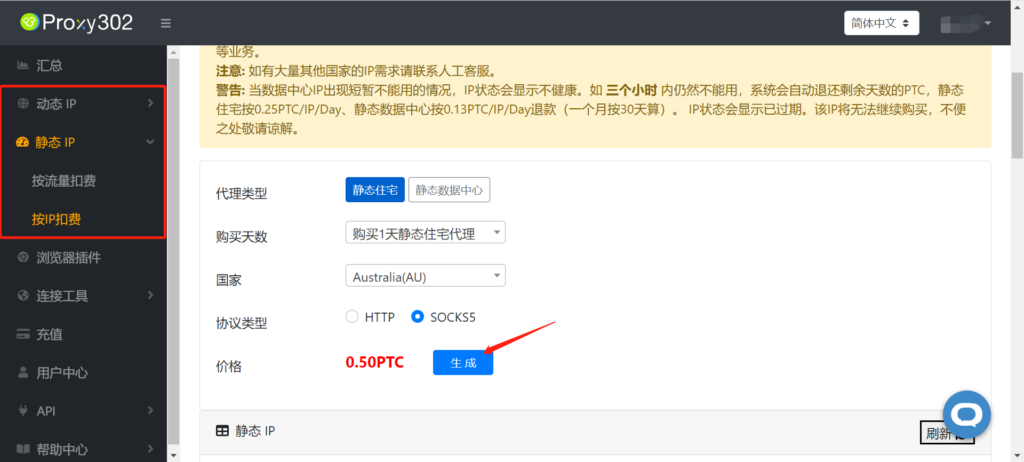
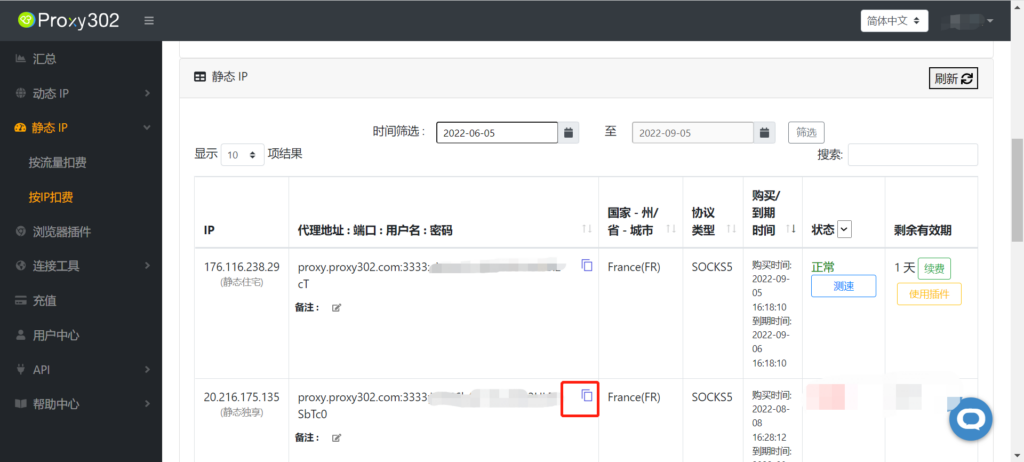
4. Generate a proxy in Proxy302 and view the proxy information.
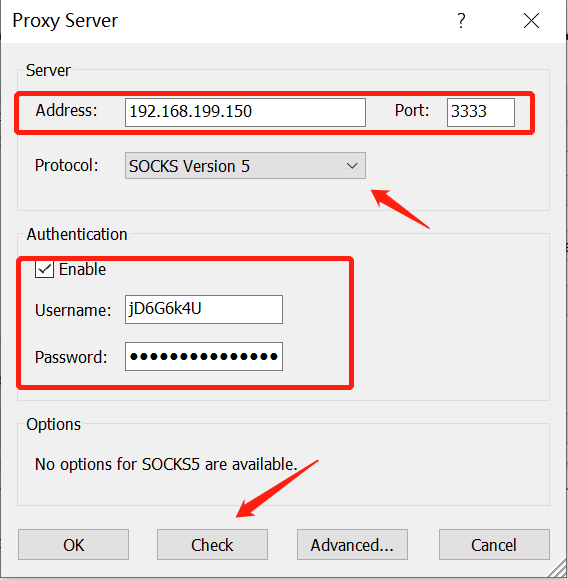
Copy the Proxy302 proxy information into Proxifier. Note that you must change the Address to the local area network (LAN) address provided in the auxiliary tool.
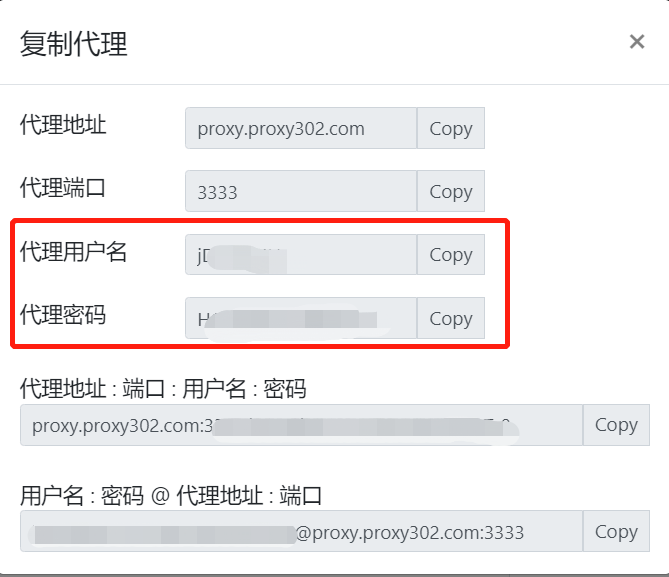
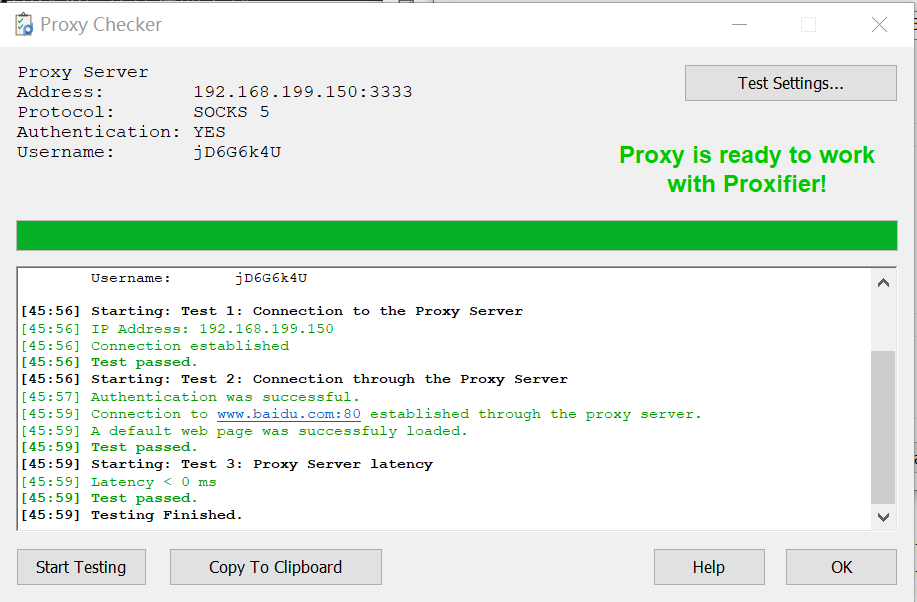
Click Check to verify if the proxy is connected successfully. Once it shows a successful connection, proceed to the next step.
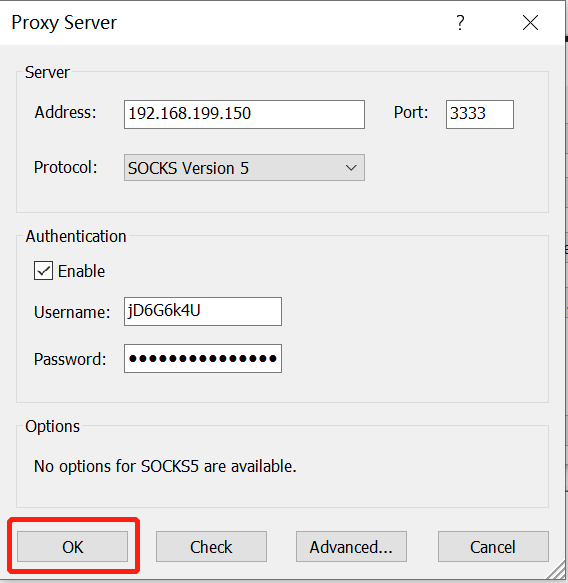
5. Once the test is successful, click OK to save the proxy.
6. Click Proxification Rules to set the proxy rules.
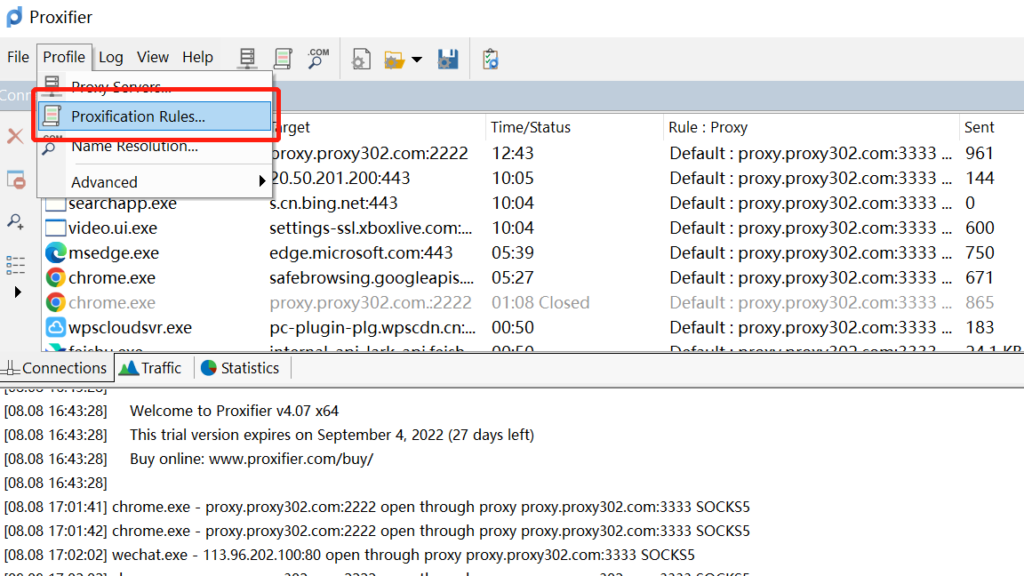
Configure the settings as shown in the image, then click OK to save.
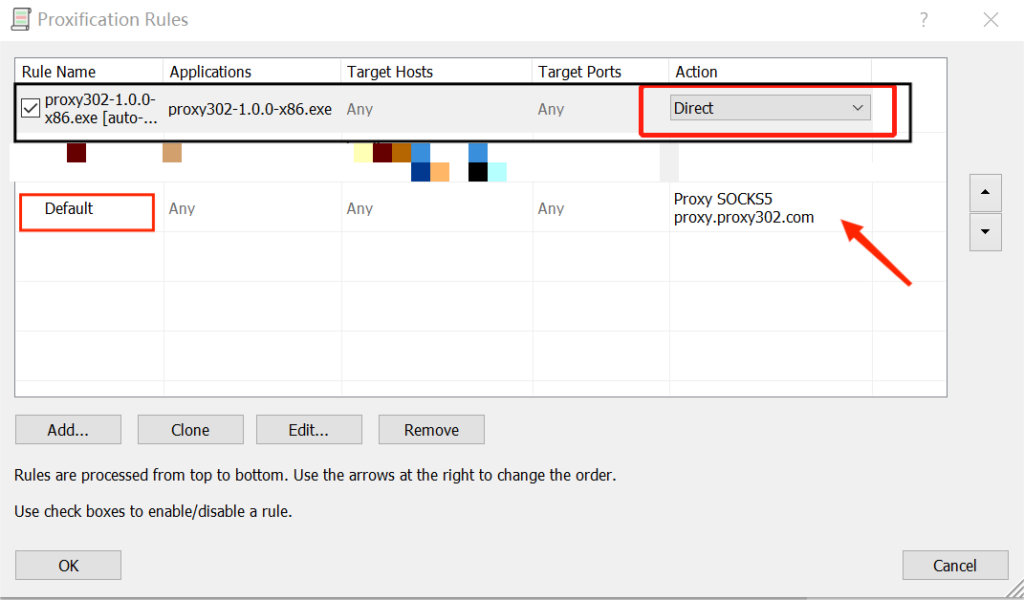
7. Click on the configured proxy to run it; this completes the entire proxy setup.
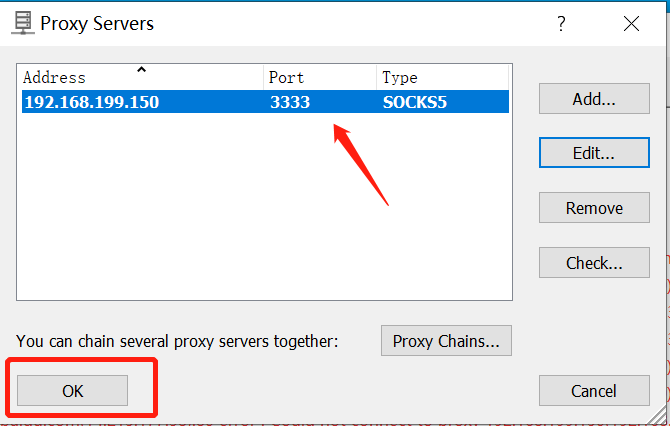
8. Visit http://ipinfo.io in your browser. If the IP address on the page matches the one you set, the proxy is configured successfully.
Connection Tutorial for Overseas Environments
1. Open Proxifier and click Proxy Servers;
Click add to add a proxy.
2. Generate a proxy in Proxy302 and view the proxy information.
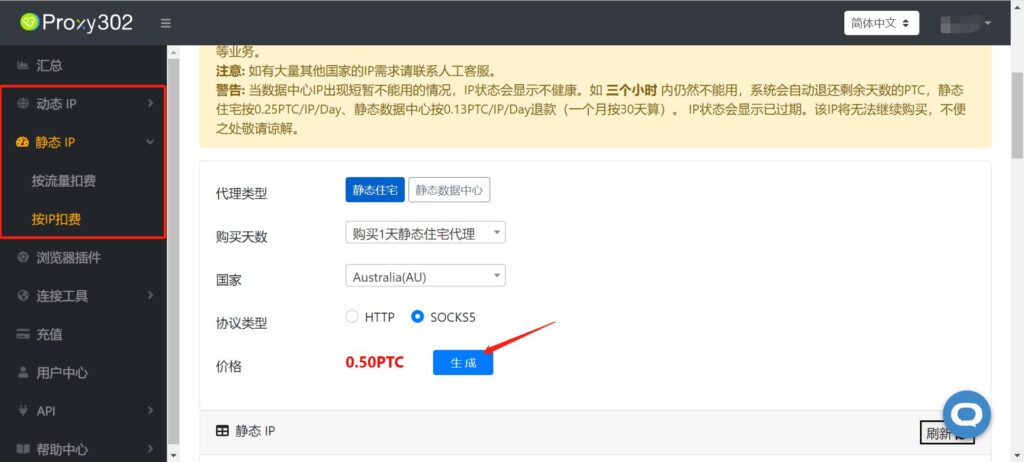
Copy the Proxy302 proxy information into Proxifier.
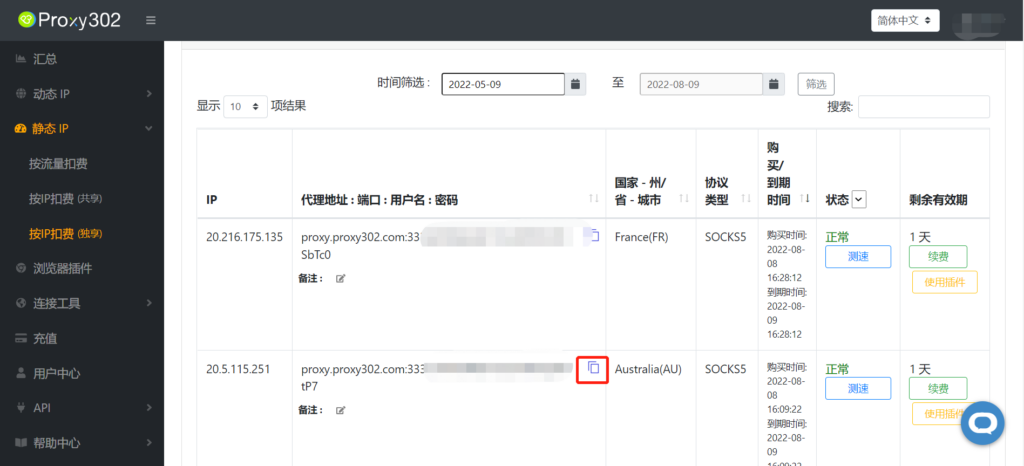
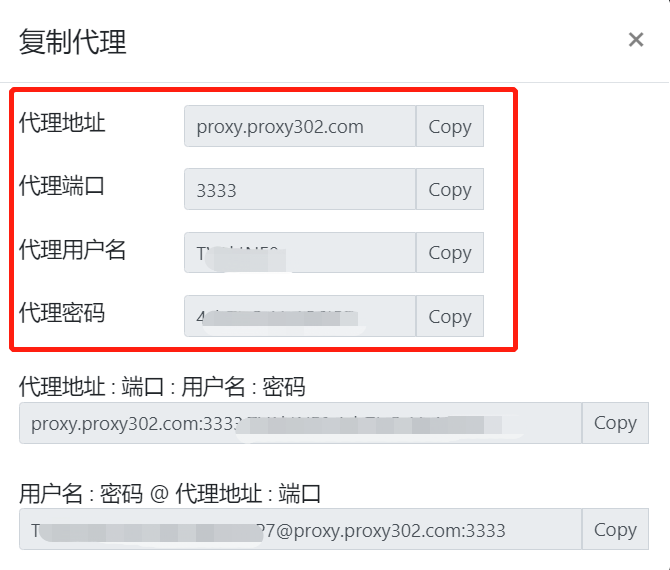
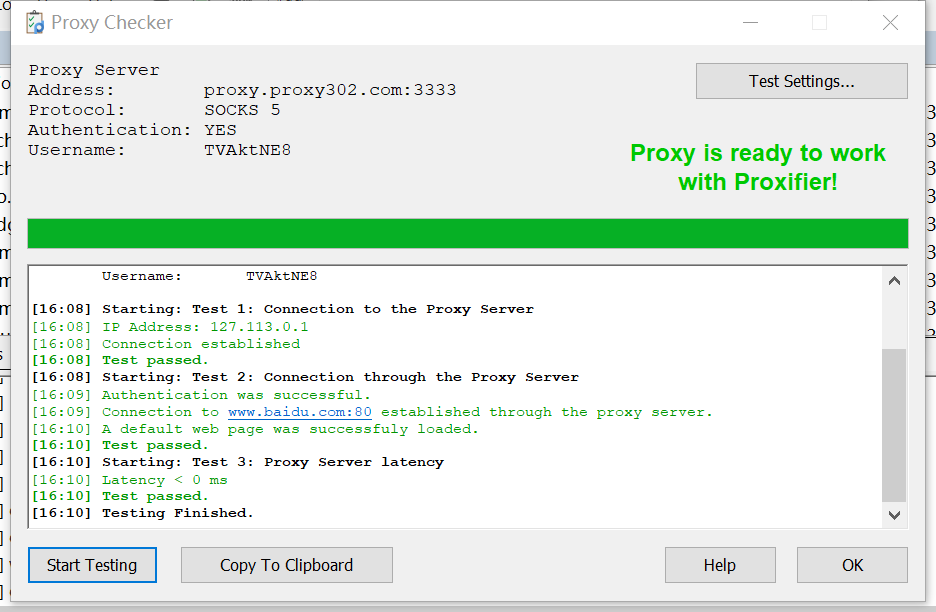
Click Check to verify if the proxy is connected successfully. Once it shows a successful connection, proceed to the next step.
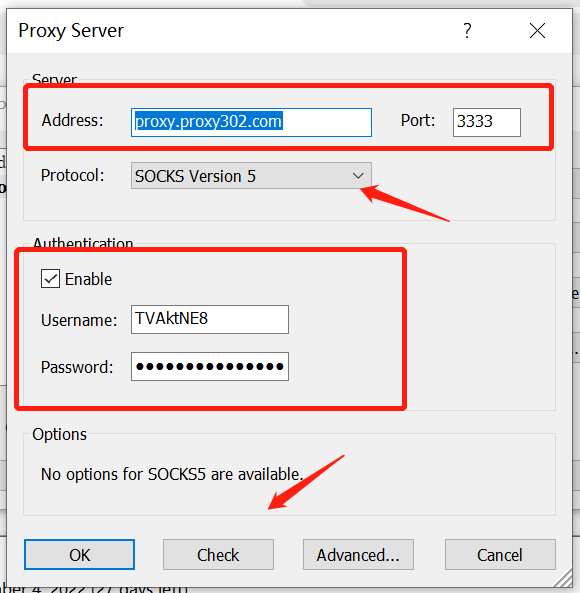
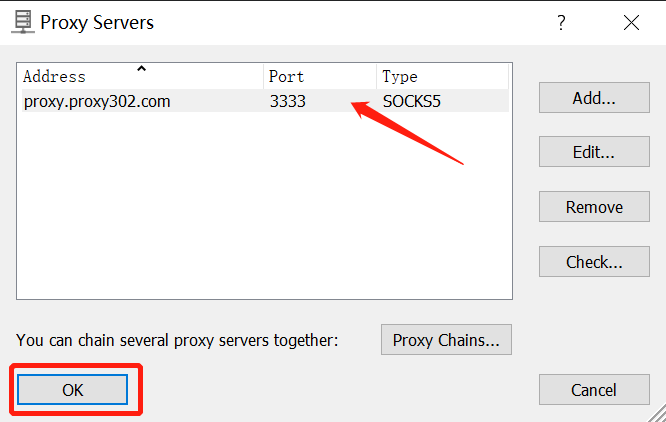
3. Once the test is successful, click OK to save the proxy.
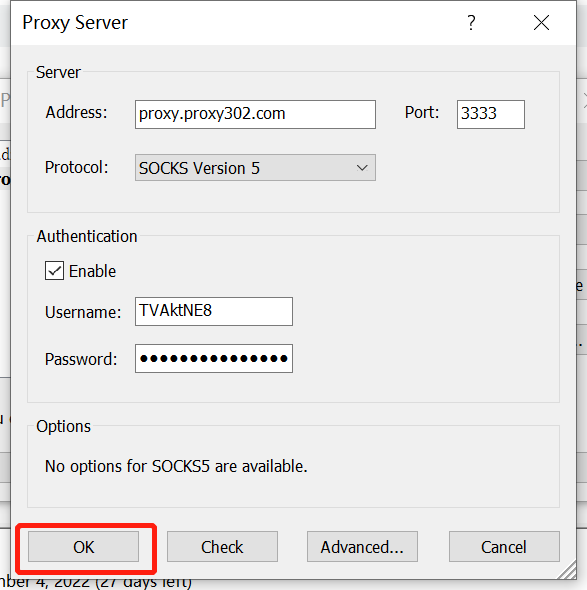
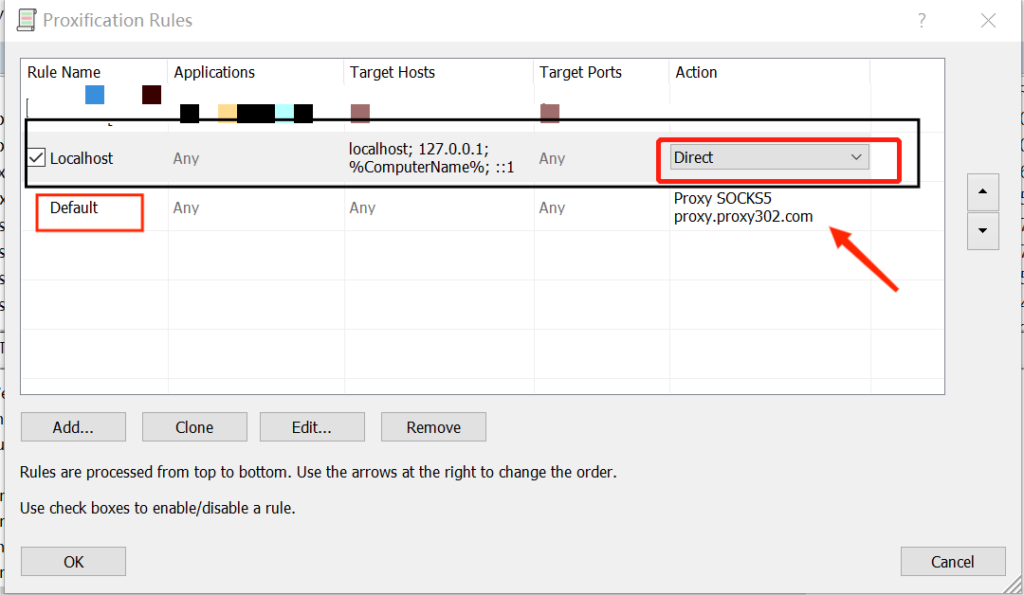
4. Click Proxification Rules to set the proxy rules.
Configure the settings as shown in the image, then click OK to save.
5. Click on the configured proxy to run it; this completes the entire proxy setup.
6. Visit http://ipinfo.io in your browser. If the IP address on the page matches the one you set, the proxy is configured successfully.