How to obtain an API token?
Legacy guide: screenshots and helper-tool steps may differ from the current product.
This is an English translation of a legacy guide. For the original wording, read the Chinese original.
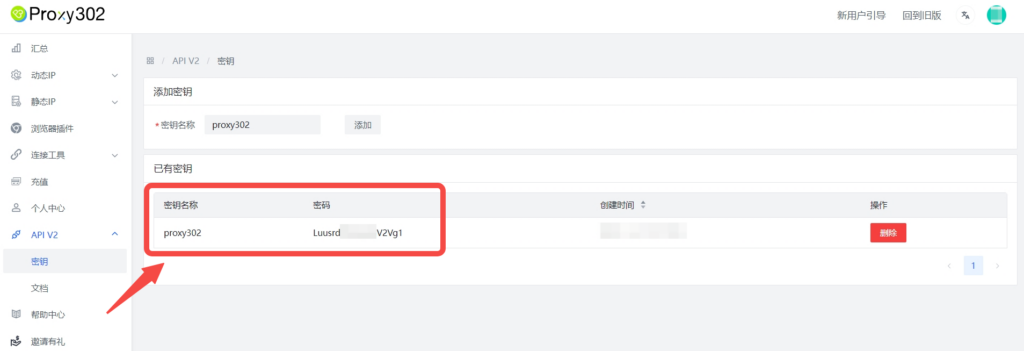
1. Click on the left taskbar → API V2 → Key, enter a Key Name (customizable), and click the Add button to obtain the key.
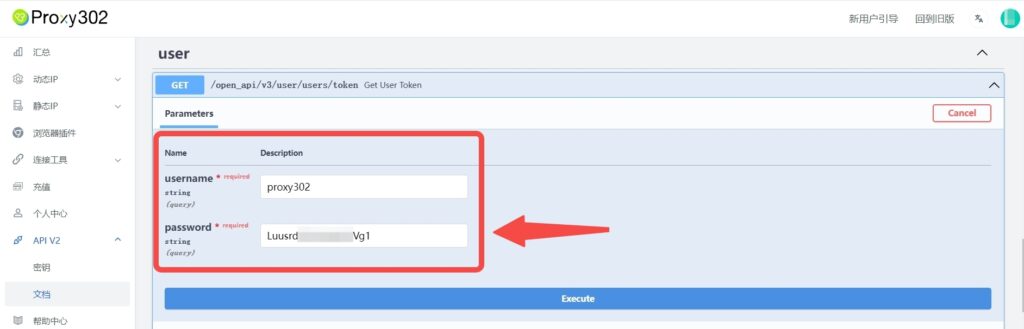
2. Click API V2 → Documentation, scroll down to find the user section, select the blue box (/open_api//v3/user/users/token), click the button on the right (Try it out), and enter your username and password.
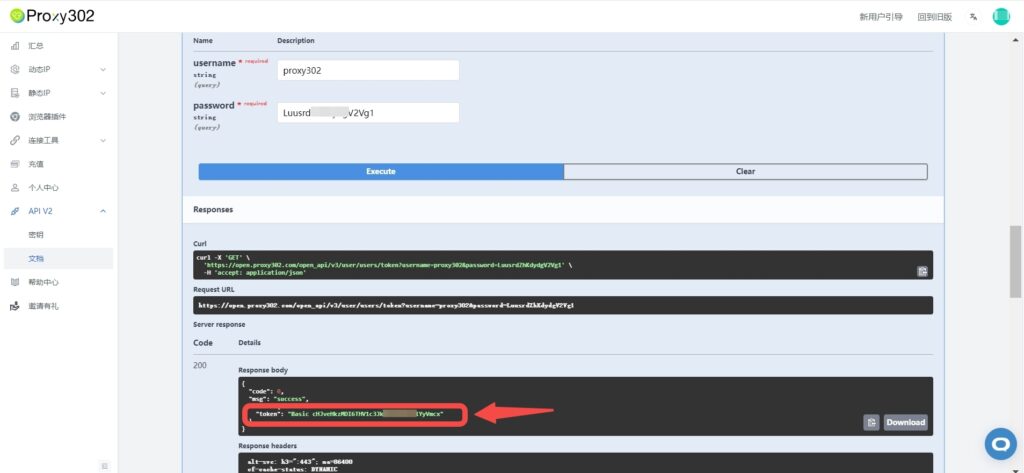
3. Click the "Execute" button to obtain Basic {token}.
4. Use the token as the request header for other requests – include the following:
Authorization: Basic {token}
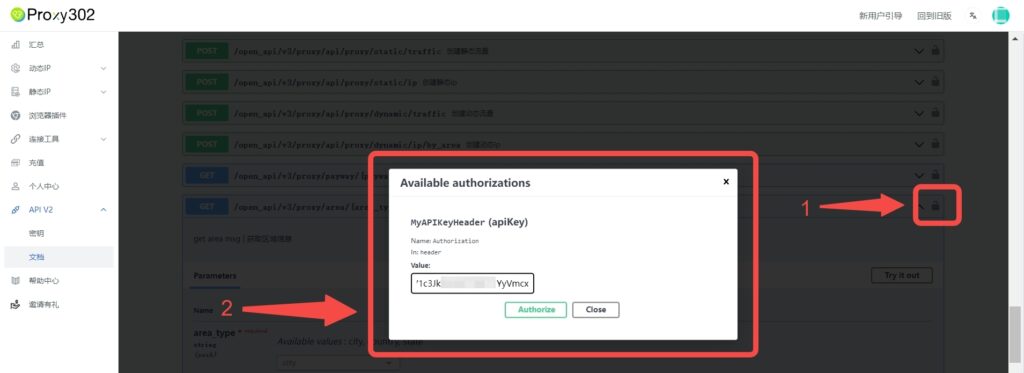
When testing API calls in this sandbox, you need to click the "lock" icon on the right, enter the token used for authorization (Basic {token}), click the "Authorize" button, and you can use it after logging in.