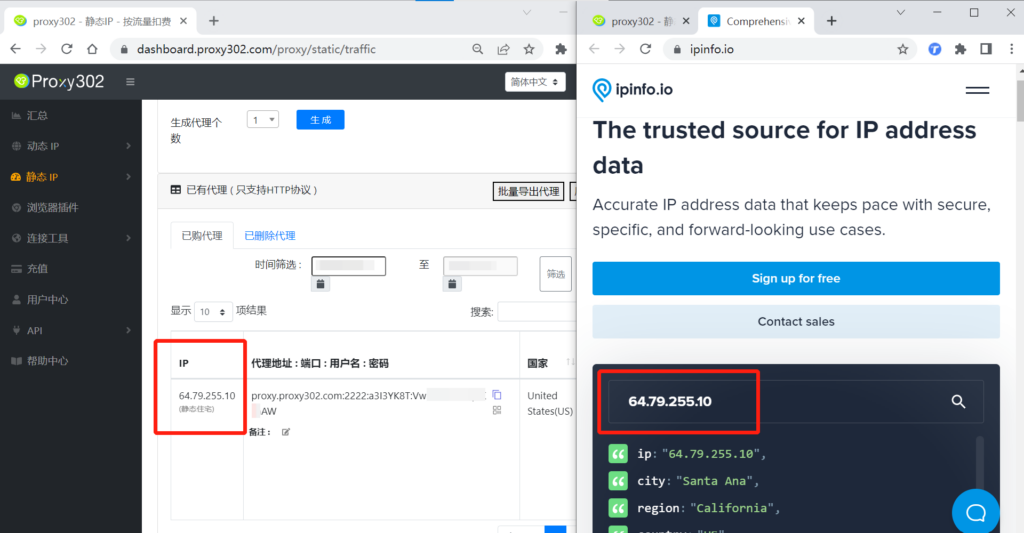
Yangtao Browser - Proxy302 Extension
Legacy guide: screenshots and helper-tool steps may differ from the current product.
This is an English translation of a legacy guide. For the original wording, read the Chinese original.
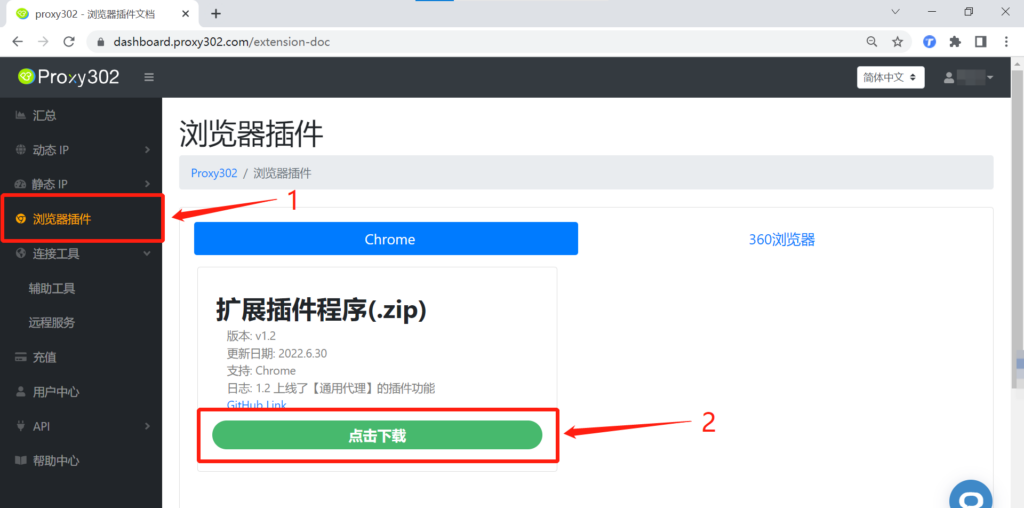
1. Log in to the Proxy302 client, open the [Browser Extension] interface, and click to download the [Extension Package].
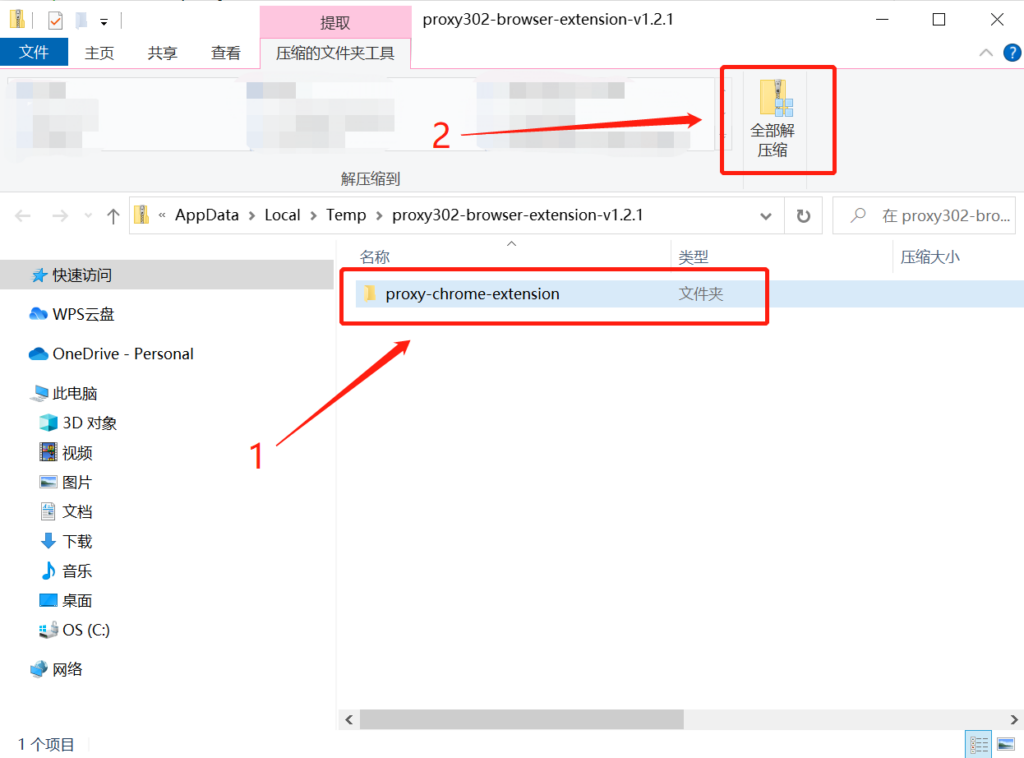
2. After successfully downloading in Yangtao Browser, open the compressed folder, select the [Proxy302-browser-extension] folder, and click [Extract All].
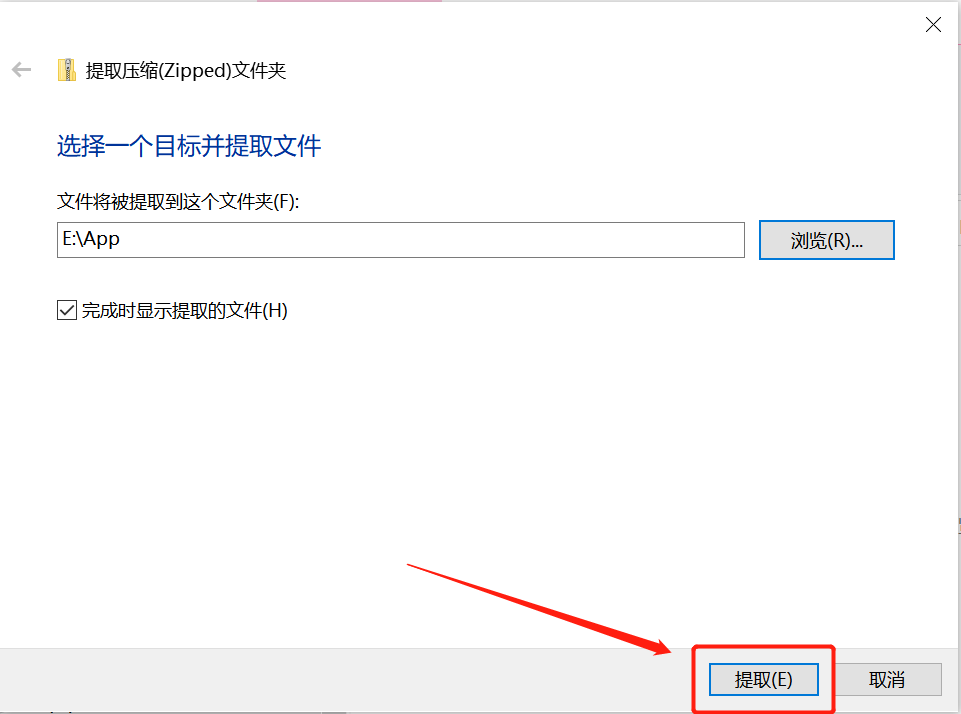
3. Click [Extract] and wait for it to load.
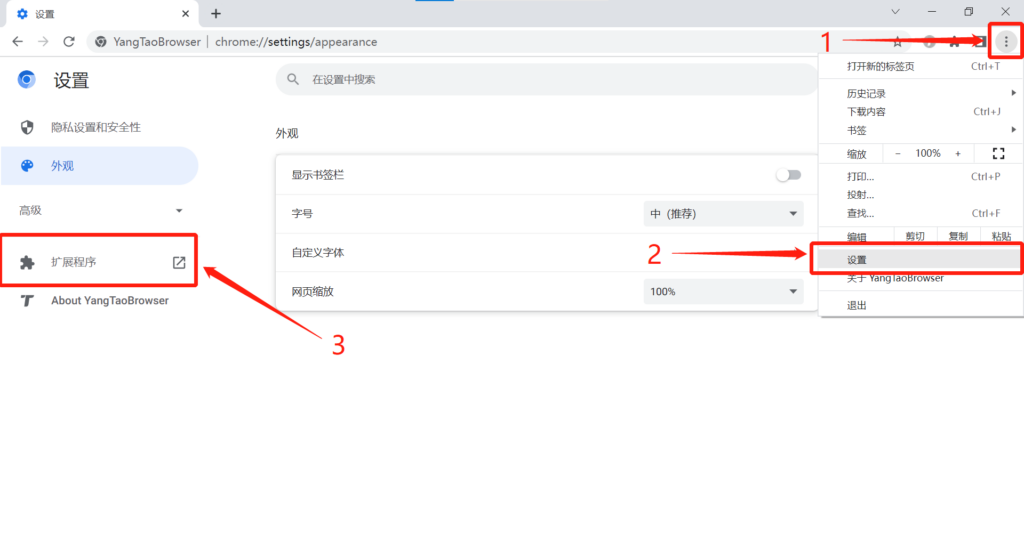
4. Open Yangtao Browser, click the icon in the top left corner, click [Settings], and select [Extensions].
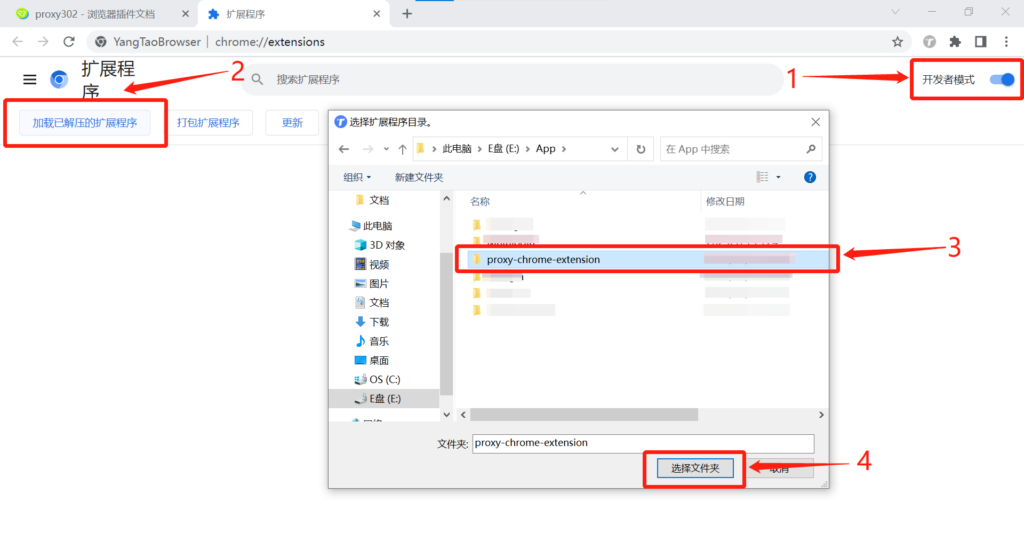
5. Check [Developer mode], click [Load unpacked extension], and select the [proxy-chrome-extension] folder.
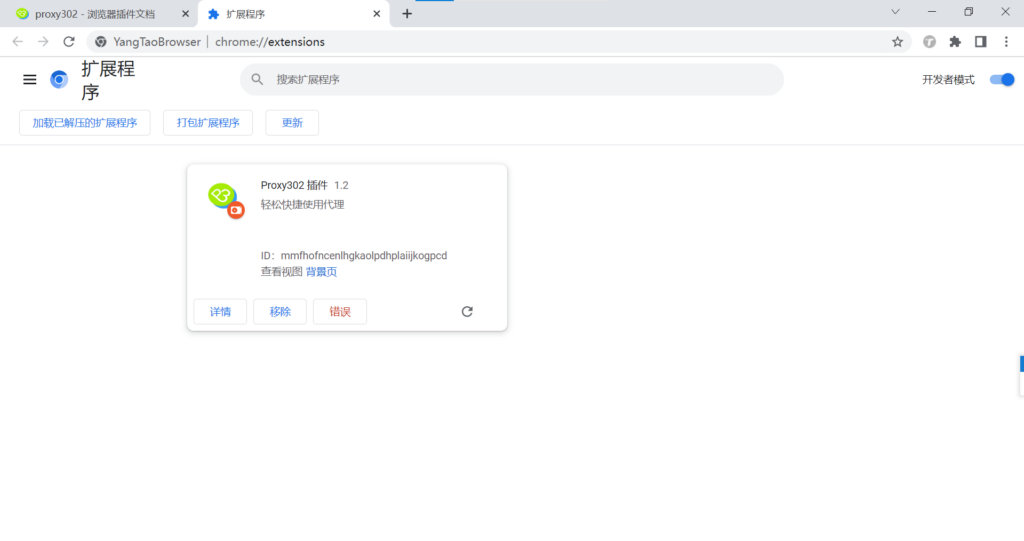
6. The Proxy302 browser extension has been installed successfully.
Connection Tutorial for Non-Overseas Environments
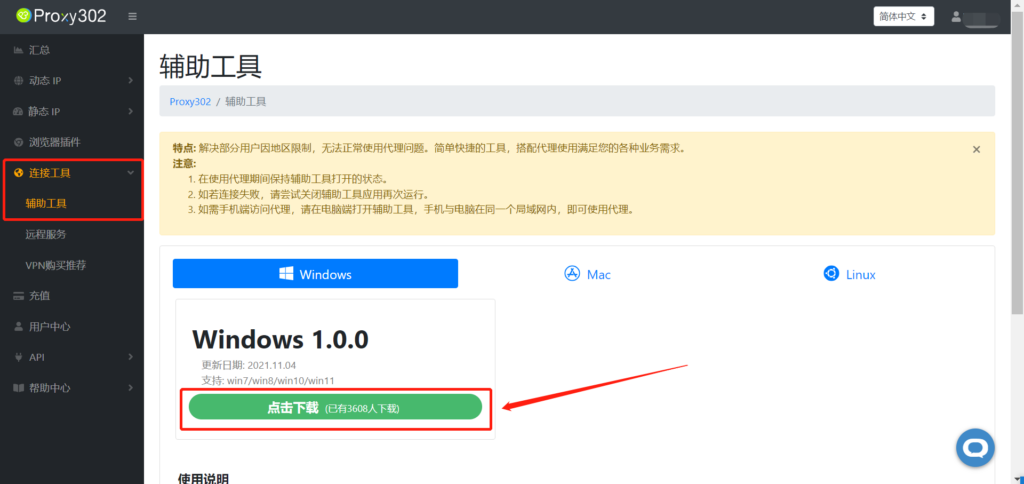
1. Log in to the Proxy302 client, open [Connection Tools] - [Auxiliary Tools], and click to download.
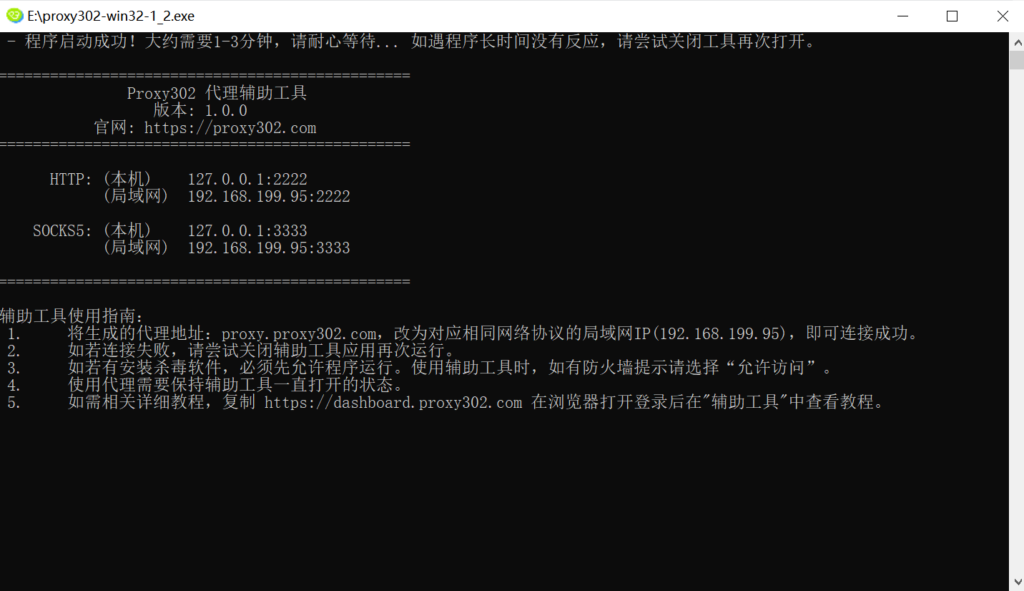
2. Run the application.
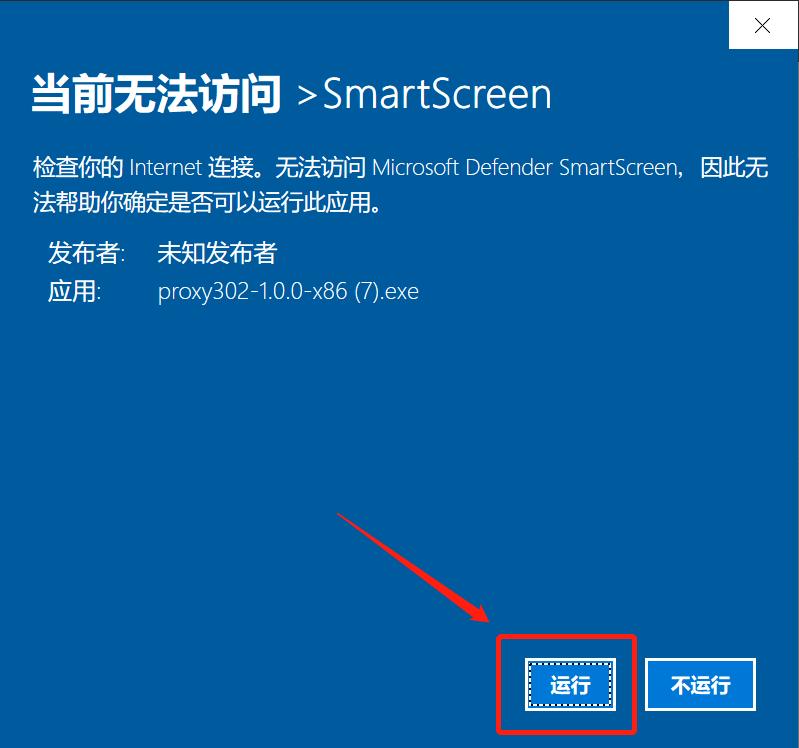
3. Wait for it to load. Once loaded successfully, as shown in the image below, the auxiliary tool has started successfully. Minimize it to keep the auxiliary tool running in the background.
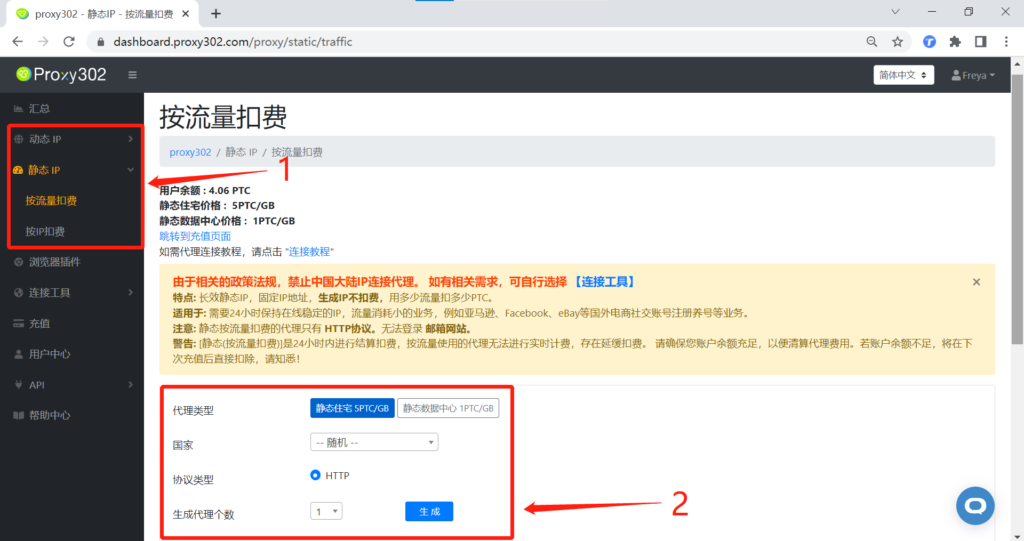
4. Select the required proxy type, country, and protocol type (HTTP/SOCKS5), then click to generate the proxy.
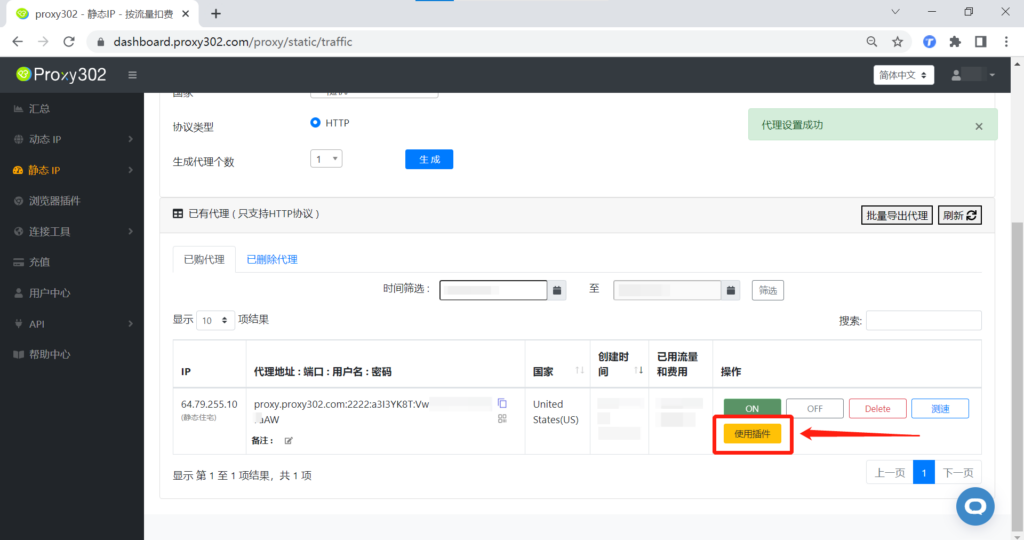
5. Click [Use Extension] and wait for the proxy settings to be applied successfully.
6. Open Yangtao Browser, click the extension icon in the top right corner, and open the Proxy 302 extension.
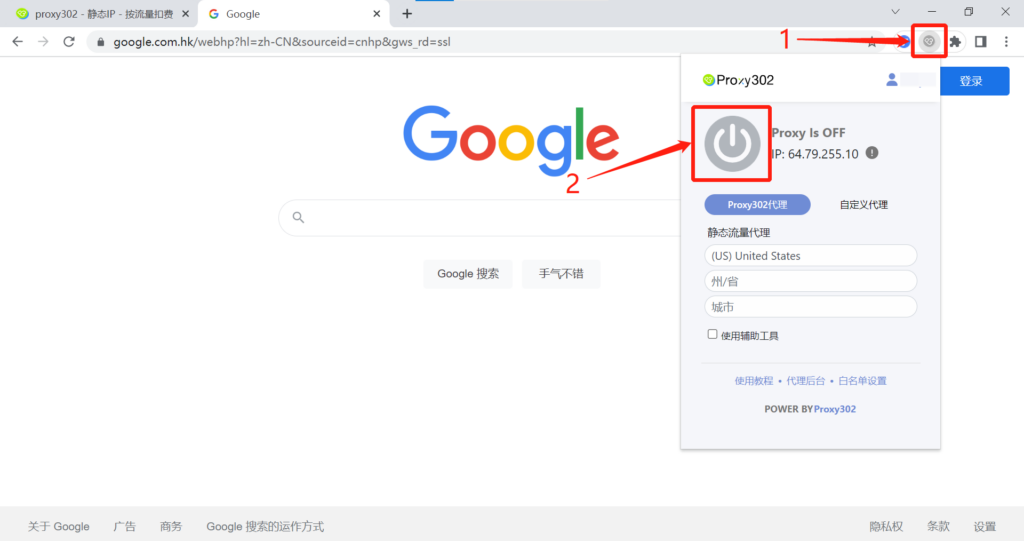
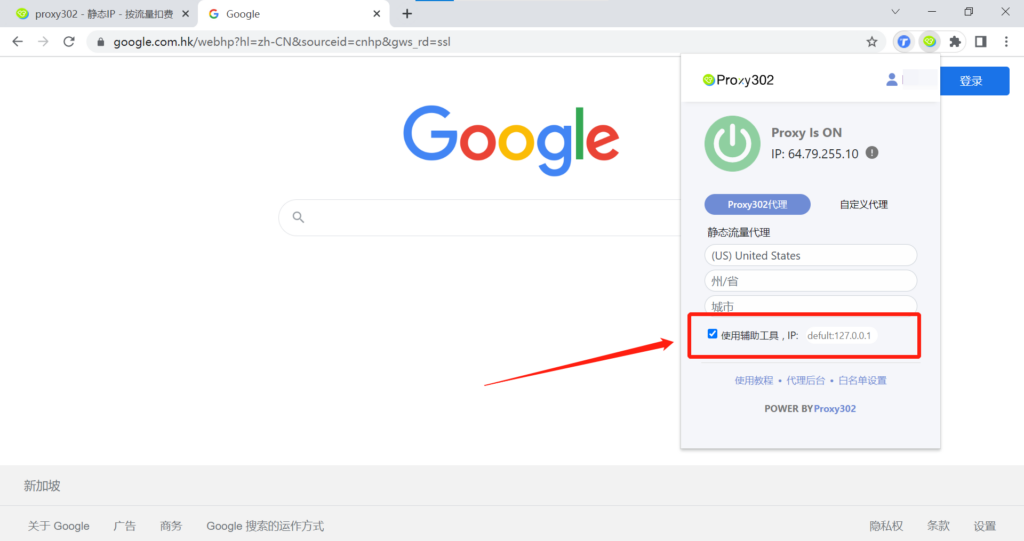
7. Check the [Use Auxiliary Tool] option; the extension will fill in the local IP by default, or you can manually change it to a LAN IP.
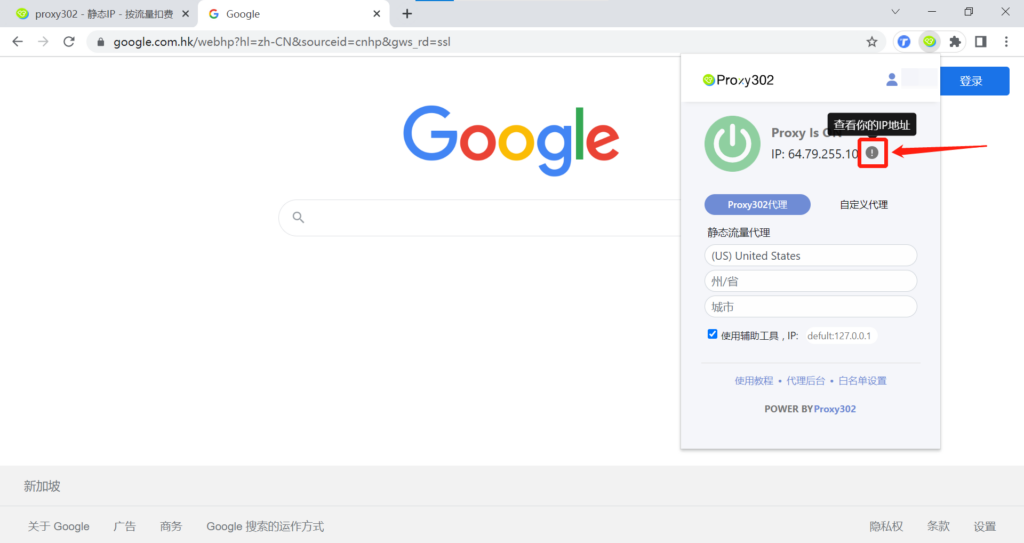
8. Click the icon to view the IP address.
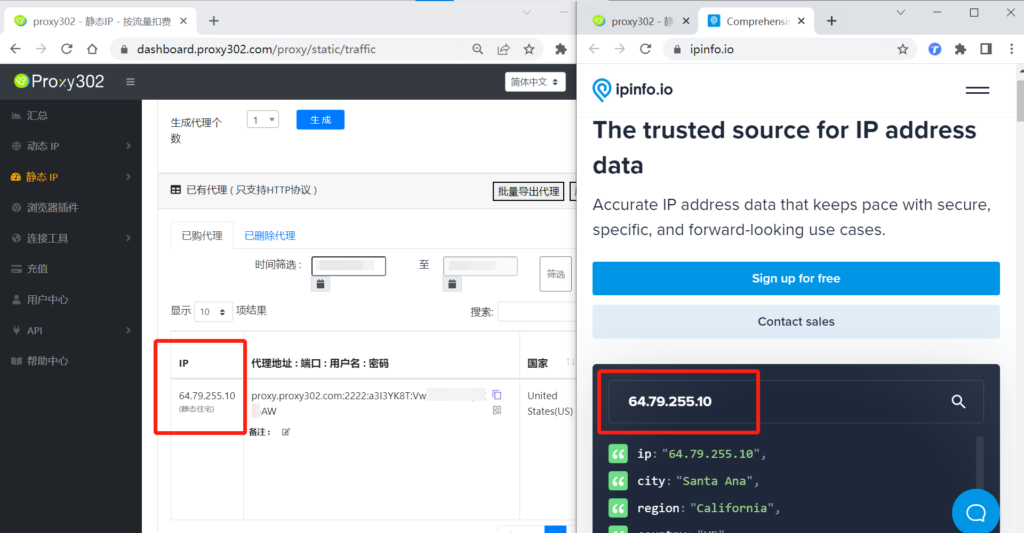
9. Check your IP address. If the IP address on the page matches the proxy IP generated by Proxy302, it means the proxy is set up successfully.
Connection Tutorial for Overseas Environments
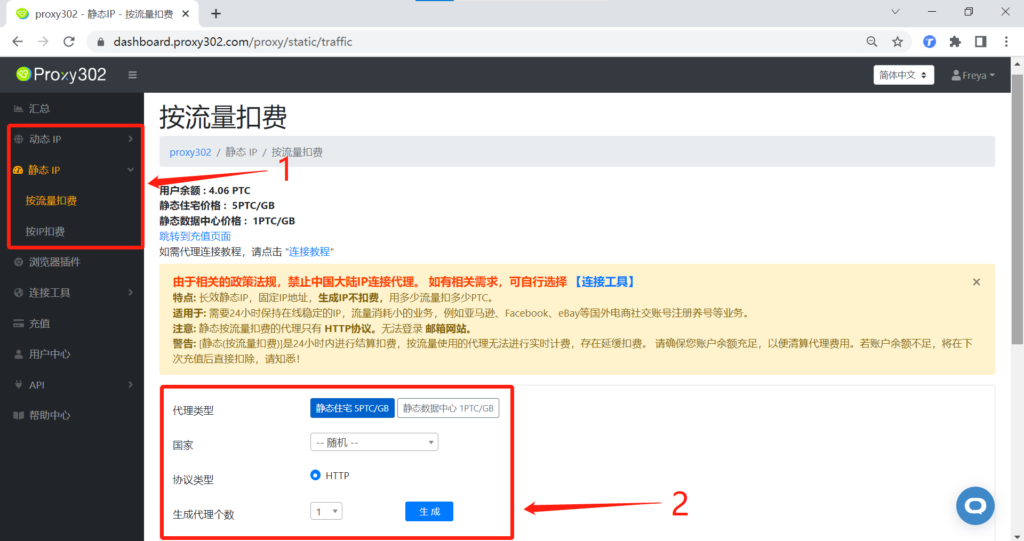
1. Log in to the Proxy302 client, select the required proxy type, country, and protocol type (HTTP/SOCKS5), then click to generate the proxy.
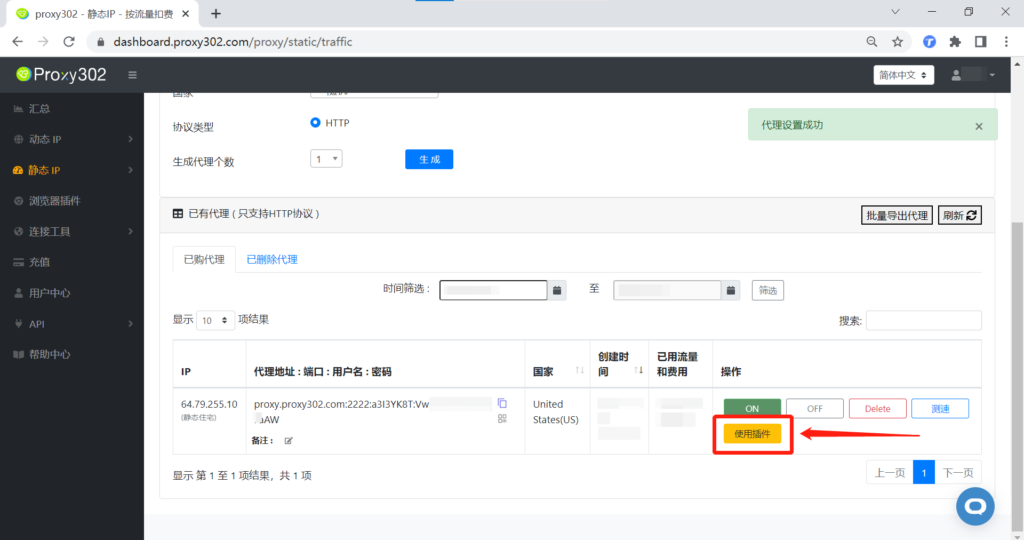
2. Click [Use Extension] and wait for the proxy settings to be applied successfully.
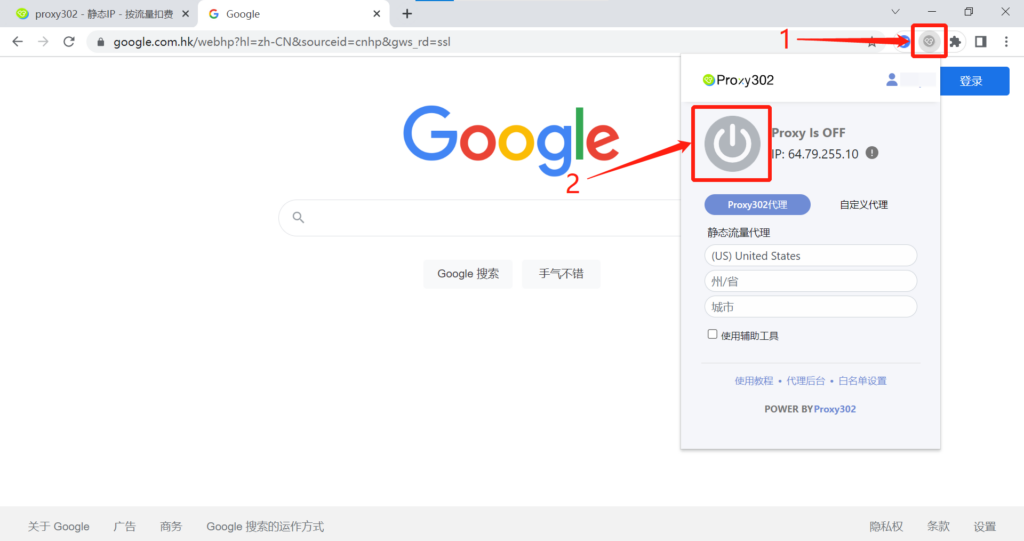
3. Open Yangtao Browser, click the extension icon in the top right corner, and open the Proxy 302 extension.
4. Click the icon to view the IP address.
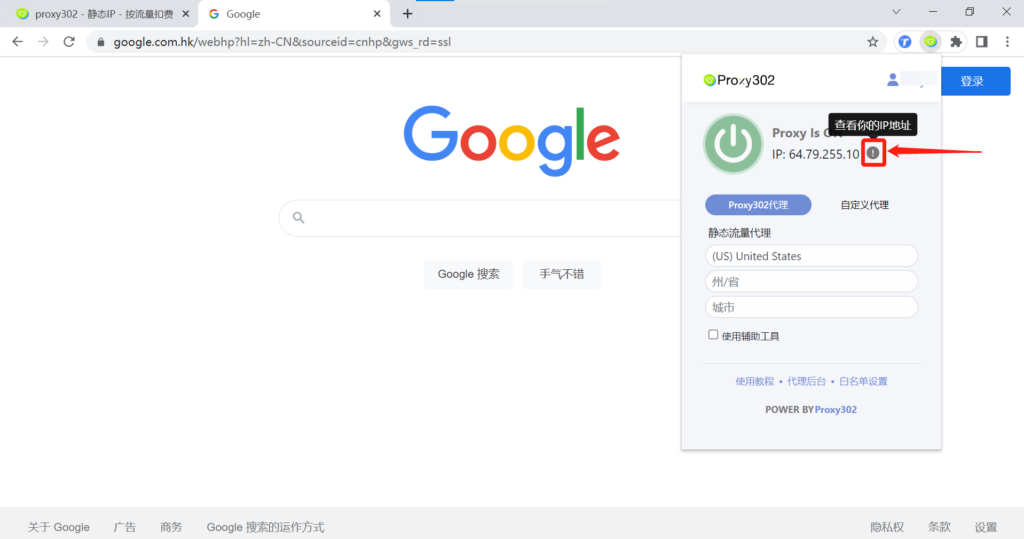
5. Check your IP address. If the IP address on the page matches the proxy IP generated by Proxy302, it means the proxy is set up successfully.