
What Is Google DNS? Boost Proxy Speed & Security in 2025
Imagine typing a website name and waiting 10 seconds for it to load. Frustrating, right? Behind the scenes, DNS (Domain Name System) acts as the internet’s phonebook, translating domains like “google.com” into IP addresses. While most users rely on default DNS from their ISP, Google DNS (8.8.8.8 and 8.8.4.4) offers a faster, safer alternative. In 2025, pairing Google DNS with Proxy302’s global premium proxies unlocks unparalleled speed, security, and reliability for businesses. Here’s how.
What Is Google DNS?Google DNS is a free, public DNS resolver service launched by Google in 2009. Unlike traditional ISP-provided DNS, it:
- Speeds up browsing: Reduces latency with globally distributed servers.
- Enhances security: Blocks phishing/malware sites via threat databases.
- Improves reliability: 99.9% uptime vs. sporadic ISP outages.
For proxy users, faster DNS resolution means quicker IP-to-domain mapping, cutting delays in data scraping, ad verification, or social media management.
Why Combine Google DNS with Proxies in 2025?
Proxy302’s proxies (residential/data center) already offer blazing-fast IPs. Adding Google DNS amplifies performance:
| Benefit | Proxy302 + Google DNS |
|---|---|
| Speed | Google’s low-latency DNS resolves hostnames quickly, so lookups add less time to each request. |
| Security | Google blocks malicious sites; Proxy302 hides your IP address, and HTTPS keeps page content encrypted end to end. Double shield |
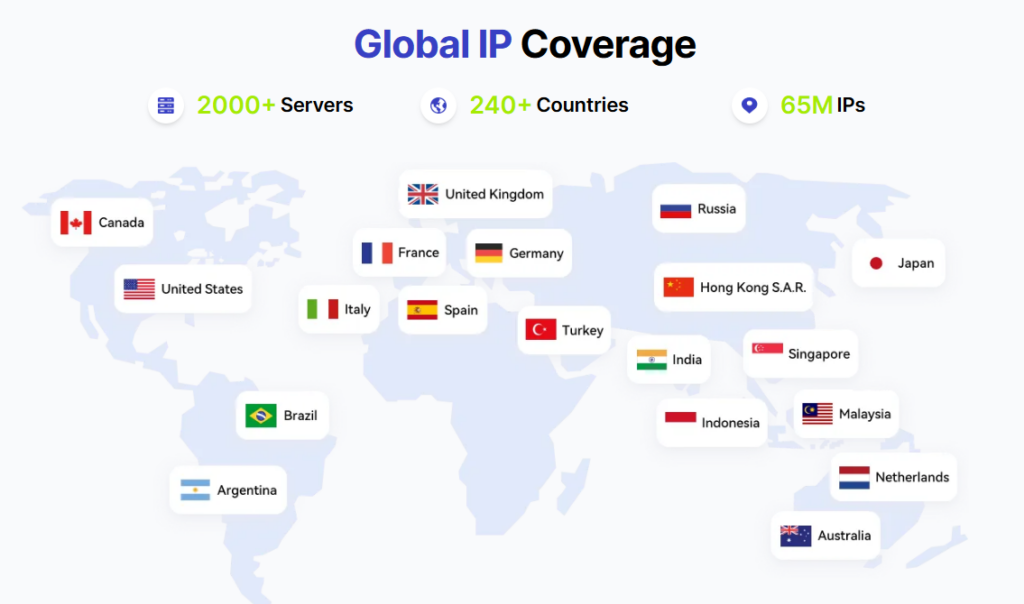
| Avoid Blocks | Clean DNS queries reduce suspicion, letting Proxy302’s 65M+ IPs bypass geo-blocks. |
| Cost Efficiency | Free DNS + Proxy302’s pay-as-you-go model ($1.5/GB) = No wasted resources. |
Proxy302’s Edge: Optimized for Google DNS
Why Proxy302 is the top choice for Google DNS users in 2025:
- Global Coverage
- Access rotating residential IPs in 195+ countries and regions + Google’s 1,500+ DNS nodes.
- Example: Scrape EU e-commerce sites with German residential IPs + Frankfurt-based DNS.
- Pay-As-You-Go Pricing
- Pay only for traffic/IPs used. No locked-in plans—ideal for dynamic DNS needs.
- Browser Extension
- One-click proxy setup + auto-DNS configuration. No manual coding!
Step-by-Step: Configure Google DNS with Proxy302
For Windows/Mac:
- Download Proxy302’s app or Chrome extension.
- Go to Network Settings > Advanced > DNS.
- Replace existing DNS with
8.8.8.8and8.8.4.4. - Activate Proxy302’s rotating residential IPs (from $1.5/GB).
For Mobile (iOS/Android):
- Install Proxy302’s mobile app.
- Navigate to Wi-Fi settings > Configure DNS.
- Select Custom > Enter Google DNS addresses.
- Enable Proxy302’s static datacenter IPs (billed per IP and lease term).
Pro Tip: Clear DNS cache regularly (ipconfig /flushdns on Windows) for optimal performance.
Use Cases
- E-commerce: A Shopify seller can use Proxy302’s US static IPs with Google DNS to monitor competitor sites.
- SEO Agencies: An agency can pair Google DNS for quick lookups with Proxy302’s rotating IPs, so its rank checks are spread across many IPs.
- Travel Apps: Combine Proxy302’s geo-specific IPs with DNS to test localized hotel prices in real-time.
Conclusion
Google DNS isn’t just a faster directory—it’s a strategic tool for proxy users. Paired with Proxy302’s flexible proxies, businesses gain:
- Lightning-fast DNS resolution.
- Military-grade security layers.
- Unmatched global reach.
Ready to turbocharge your proxy setup?
👉 Register and top up 👈 + Configure Google DNS in 5 Minutes! The smallest purchase is 1 GB of rotating residential traffic on the Budget line (US$1.50) or one IP for one day (from US$0.25).